
Project controls · Track
One model,linked to the work.
Your IFC model opens in the browser and joins the project. Link the programme and the cost to each element, colour it with verified progress from the site walks, and raise issues that land in the CDE with an owner and a date.
Why it matters
The model is the most detailed record of the building, and it lives on one consultant's laptop.
Models are produced, reviewed once and left behind. The programme, the cost plan and the site carry on without them, so clashes, quantities and progress are argued over in meetings instead of seen on the element.
BIM · how it works
One model, linked to the work.Spec, programme, cost and progress on every element.
01 / 06
The model, in the browser
IFC models open in the browser, linked to the project: by zone and floor, no licences.
Documents and coordination · the screens
One register,with who holds each item.
Track · what you can do
What you can do.Programme, BIM, orders, documents and money.
Open the model anywhere
IFC in the browser, by zone and floor, with no licences to buy.
Pick any element
Type, quantities, submittals, specs and issues for a wall, column or slab.
4D: the programme on the model
What should be built by when, played week by week.
5D: cost per element
Cost per element and floor against what has been certified.
Progress on the model
Verified progress from the site walks, floor by floor: done, in progress, late.
Issues to the CDE
Raised on the element with its viewpoint, owner and due date.
The result
The model becomes the place the team meets: the programme, the money and the site, on the element they concern.
Questions
About BIM: 4D, 5D and issues.
Something else on your mind? Walk through it with us on your own project.
No. Everything works from your plans and captures. A model adds the element-by-element 4D and 5D view.
IFC exported from Revit, ArchiCAD, Tekla and other authoring tools.
Keep exploring
Every part connected.
Track
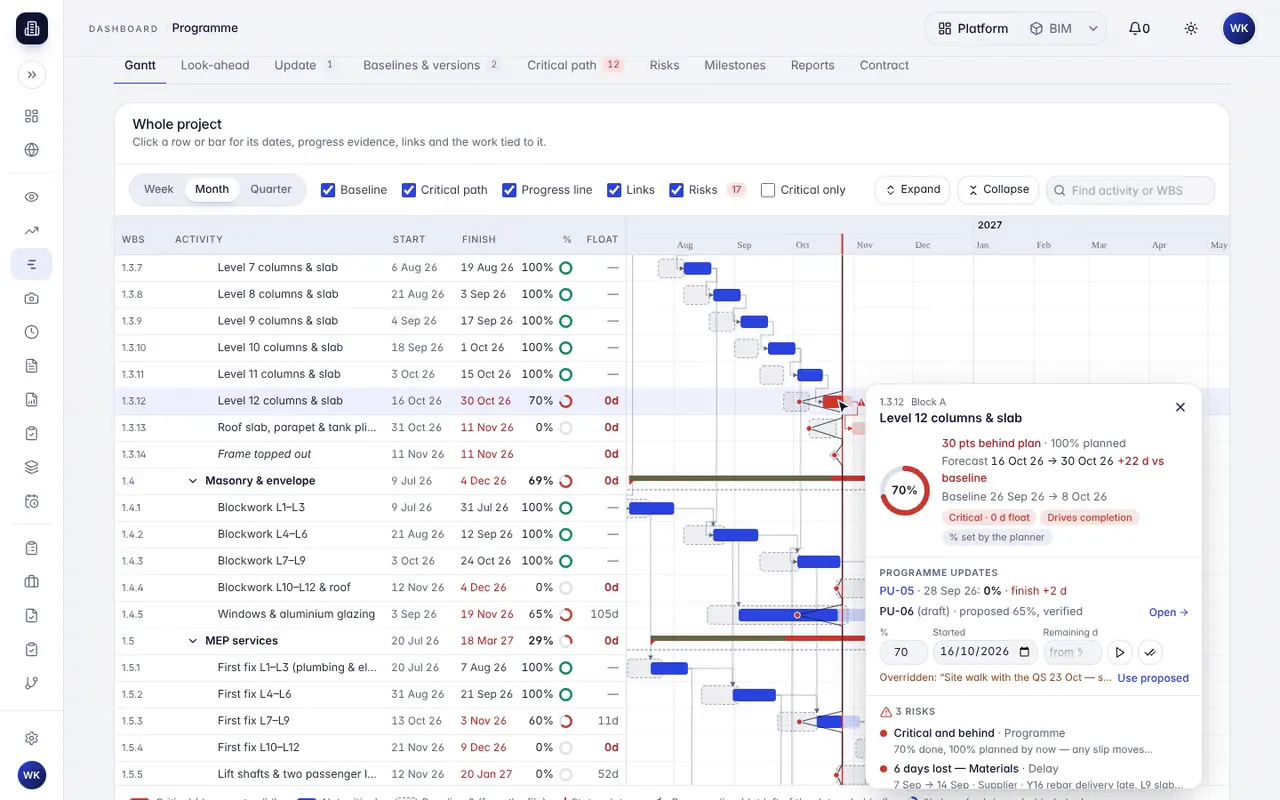
Programme management
Your programme as a Gantt, with verified progress on every bar and each contractor update checked against the site.
Track
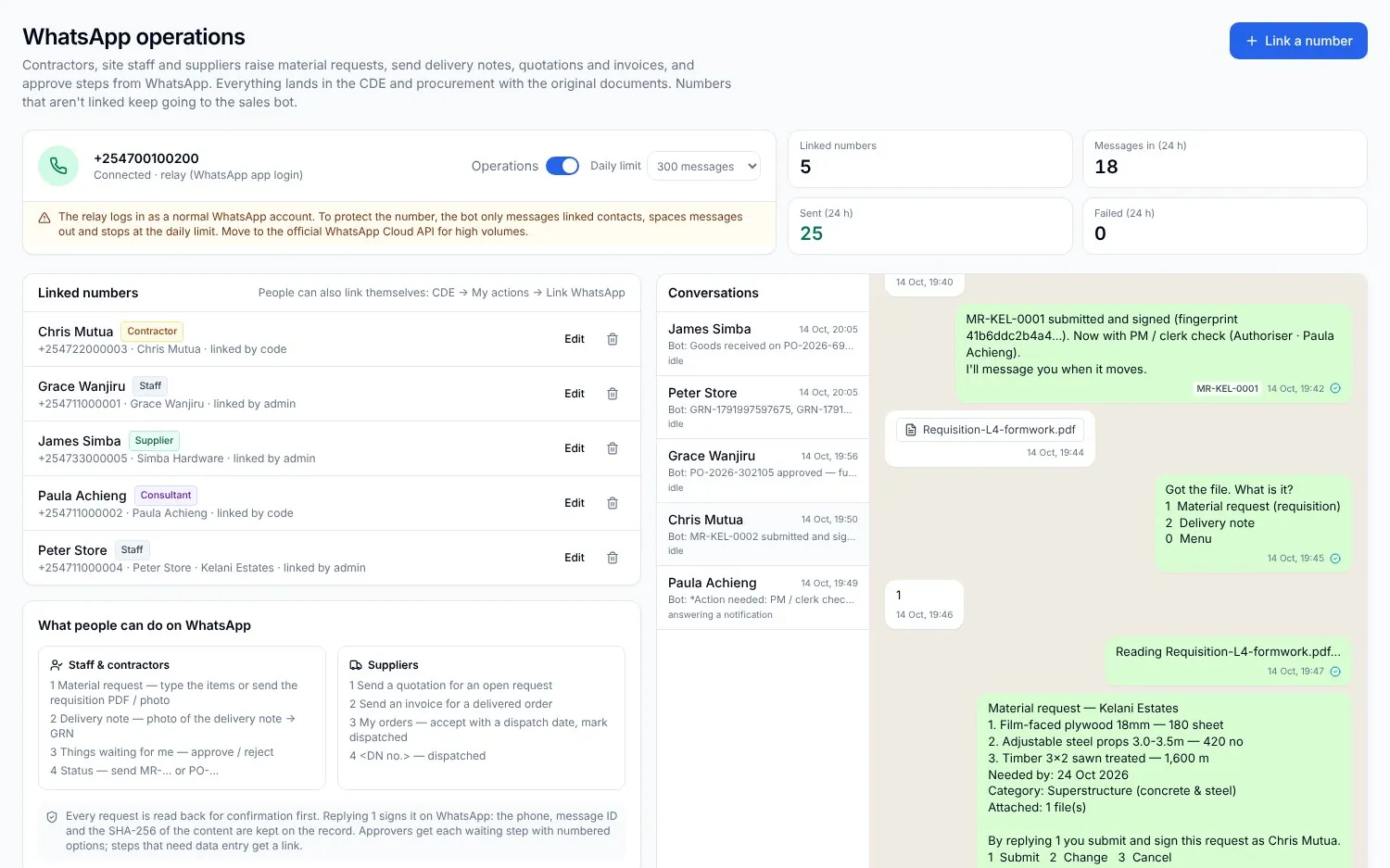
Procurement on WhatsApp
Requests, quotes, approvals and deliveries from the chat, matched to the BOQ and the budget.
Track
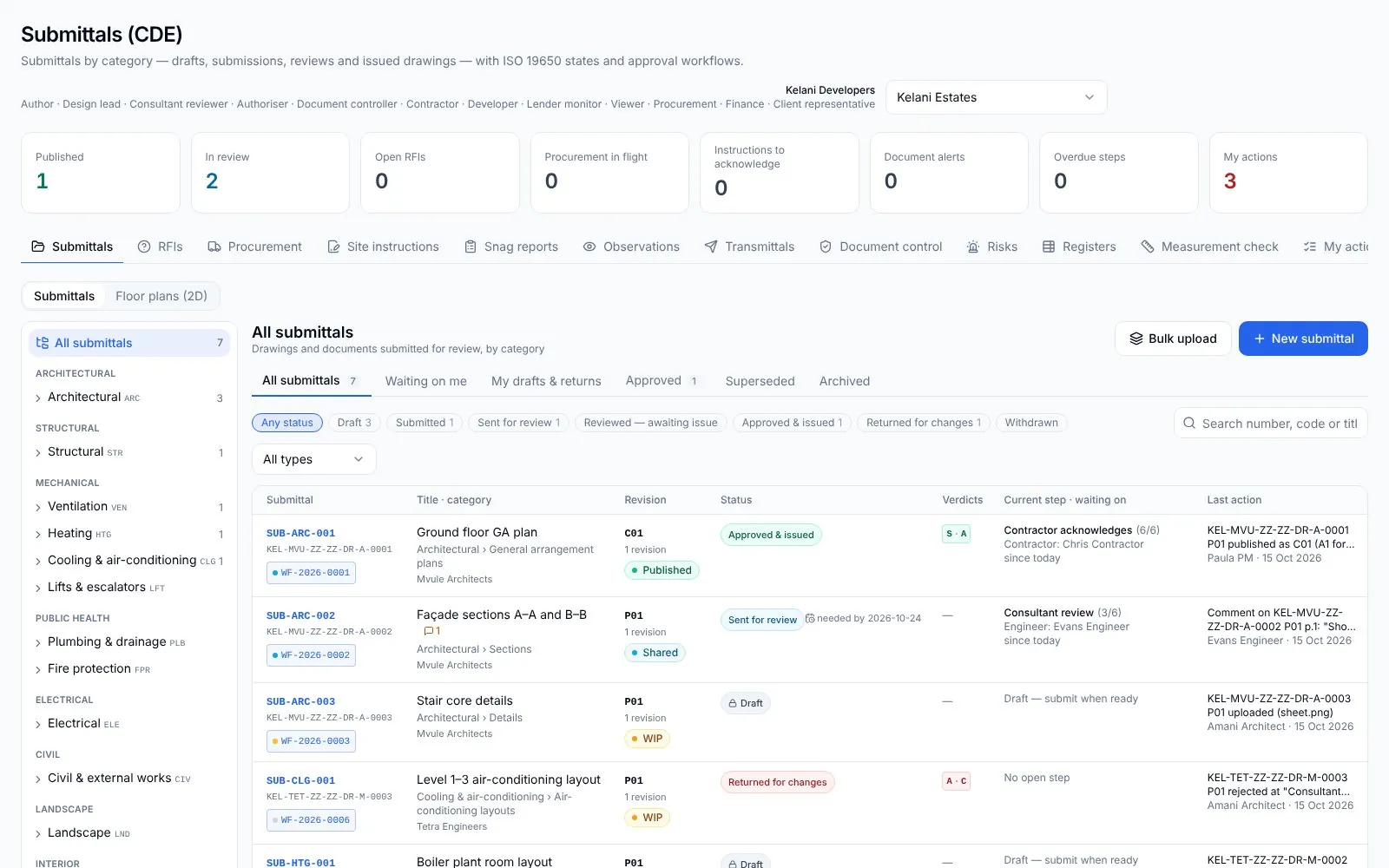
Documents, changes and approvals
Drawings, submittals, RFIs and variations in one register, each with its approval flow.