

SiteSeer for engineers
Inspect it. Test it.Certify it with the evidence.
The engineering portal covers structural and MEP supervision: inspections, laboratory and materials tests, calculations and the certificates that depend on them.
What you get
No pour without a passed inspection
Inspections, test results and sign-off sit on one record before the next stage is released.
Test results you can find in a year
Lab and materials tests are filed against the element and the level they cover.
Certificates that stand up
Structural, test and completion certificates issue with the inspections and results behind them.
The problem
The pour is booked for Friday. The cube results are in an email, the inspection notes are on a phone, and the certificate is a Word file nobody can find.
01 · Request
The contractor books the pour.
An inspection request arrives with the element, the drawing revision, the mix and the planned pour time.
02 · Inspect
Walk the slab with the checklist.
Reinforcement, cover, laps, formwork and cast-ins, checked on your phone with photos pinned to the plan.
03 · Tests
The cube results are on the record.
Lab results for the last pour sit with the inspection, against the specified strength, not in someone's inbox.
04 · Sign-off
Sign the permit to pour.
With the defect closed and the results in, sign the inspection. The contractor and clerk of works sign on the same record.
05 · Released
The pour goes ahead.
The stage is released with your signature and the evidence behind it. The programme and later payment claims can see it.
INSP-STR-041 · Kelani Estates · Block 1
Level 4 slab · pre-pour inspection
- 1Request
- 2Inspect
- 3Tests
- 4Sign-off
- 5Released
Inspection request
- Element
- Level 4 slab · bays A–D
- Drawing
- S-204 Rev D
- Concrete
- C30/37 · about 120 m³
- Planned pour
- Fri 24 Oct · 07:00
- Requested by
- BuildCo site agent
Pre-pour checklist
- Bar sizes and spacing vs S-204To check Done
- Cover and spacers · 25 mmTo check Done
- Lap lengthsTo check Done
- Formwork and proppingTo check Done
- MEP sleeves and cast-insTo check Done
- Deck clean, no debrisDefect · photo Done
Concrete tests · Level 3 pour
| Sample | Age | Result | Target |
|---|---|---|---|
| CB-311 | 7 days | 24.1 N/mm² | ≥ 20.0 |
| CB-312 | 7 days | 23.6 N/mm² | ≥ 20.0 |
| CB-313 | 28 days | 38.2 N/mm² | ≥ 37.0 |
| Slump | On arrival | 110 mm | 100 ± 25 |
| CB-314 | 28 days | Due 31 Oct | ≥ 37.0 |
Permit to pour
- Structural engineerInspection passed · 23 Oct Signed
- Clerk of worksWitnessed Signed
- ContractorDefect closed · photo attached Signed
Pour release
- Pour
- Released · Fri 24 Oct, 07:00
- Cube sampling
- Per plan · 6 per 50 m³
- Programme
- Level 4 slab · on track
Pour released · on the record
Engineer portal · demo record
What it does
Inside the engineer portal.Real screens, real projects.
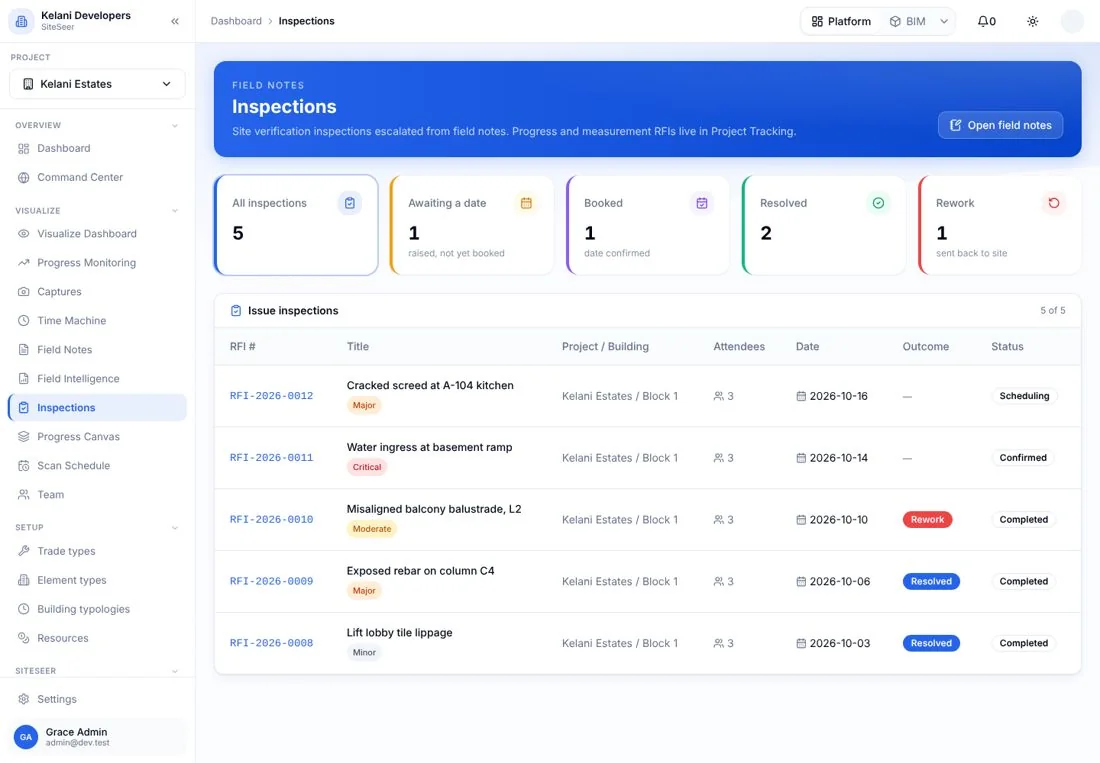
Inspections
Every inspection, by status.
Requested, booked, passed or failed, with photos and the location on the plan.
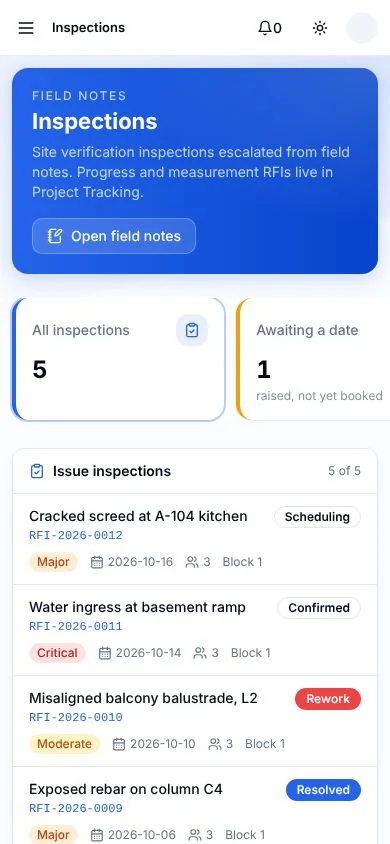
On site
Inspect from your phone.
The checklist, the plan and the camera in one screen. It syncs to the office.
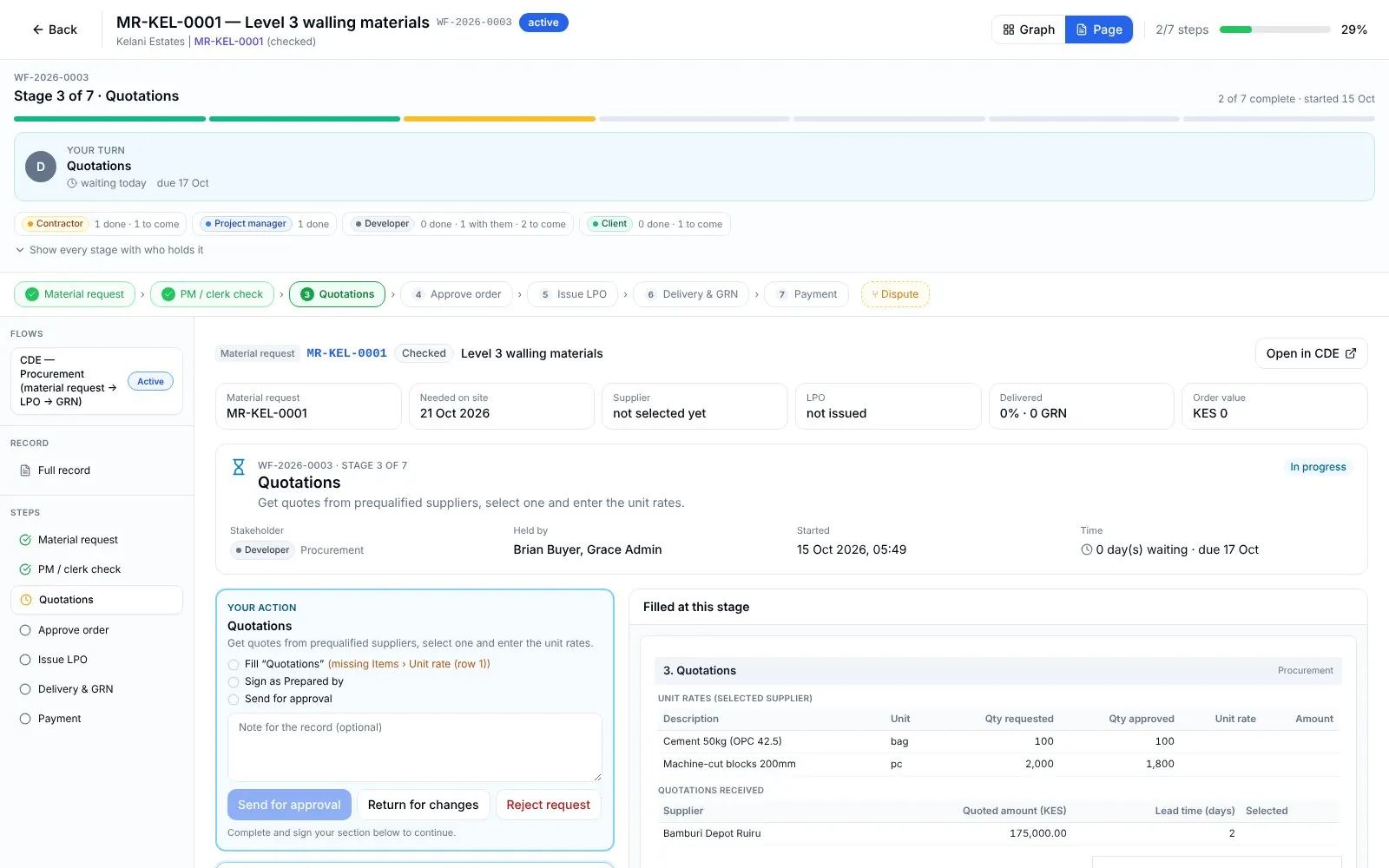
Approvals
Approvals with a holder.
Each approval stage shows who holds it and what must be attached before it moves.
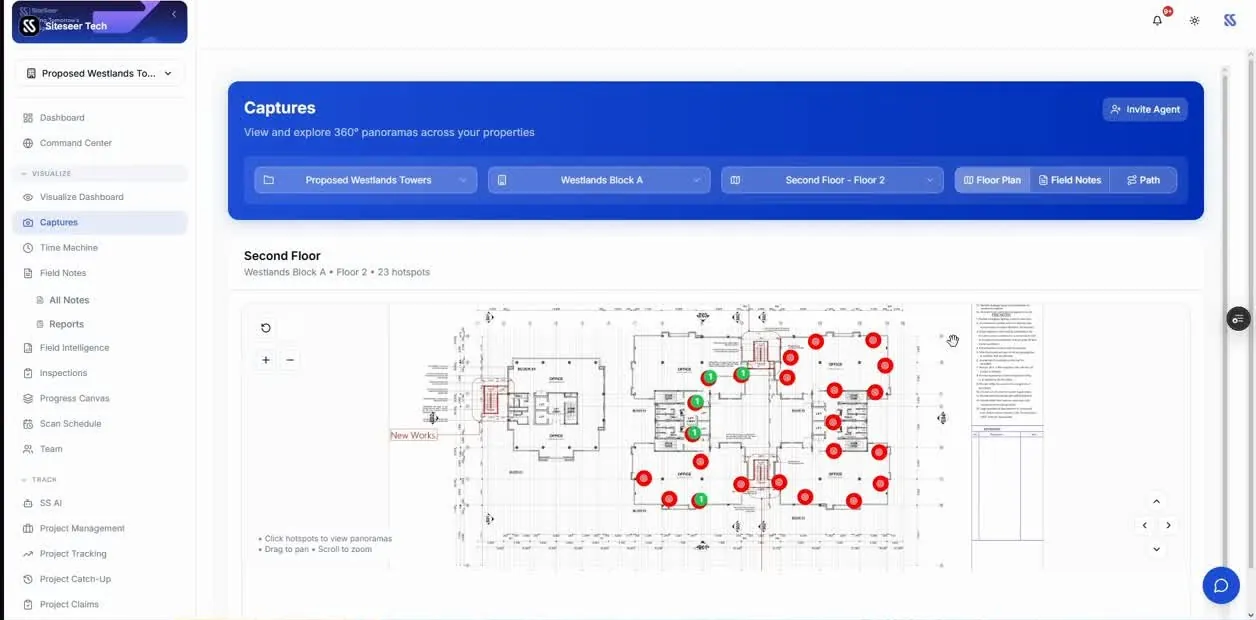
Visualize
See the site between visits.
360° captures pinned to the plan, so you can check progress without a site trip.
What it takes off your plate
Less chasing.More certainty.
Everything in Engineers
All the features.Built for real sites.
Site inspections
Checklists, photos and defects pinned to the plan.
Structural design
Design work tied to the project it serves.
Site supervision
Visits, notes and instructions on record.
Laboratory tests
Lab results filed against what they test.
Materials testing
Materials tests by delivery and element.
Quality assurance
QA records and test reports in one place.
Calculations & analysis
Technical reports and calculations, filed.
Certificates
Structural, test and completion certificates, plus safety compliance.
Submittals & approvals
Your review queue on the project CDE.
Practice tools
Team, standards and codes, quality reviews and a technical library.
Works with
One record,many tools.
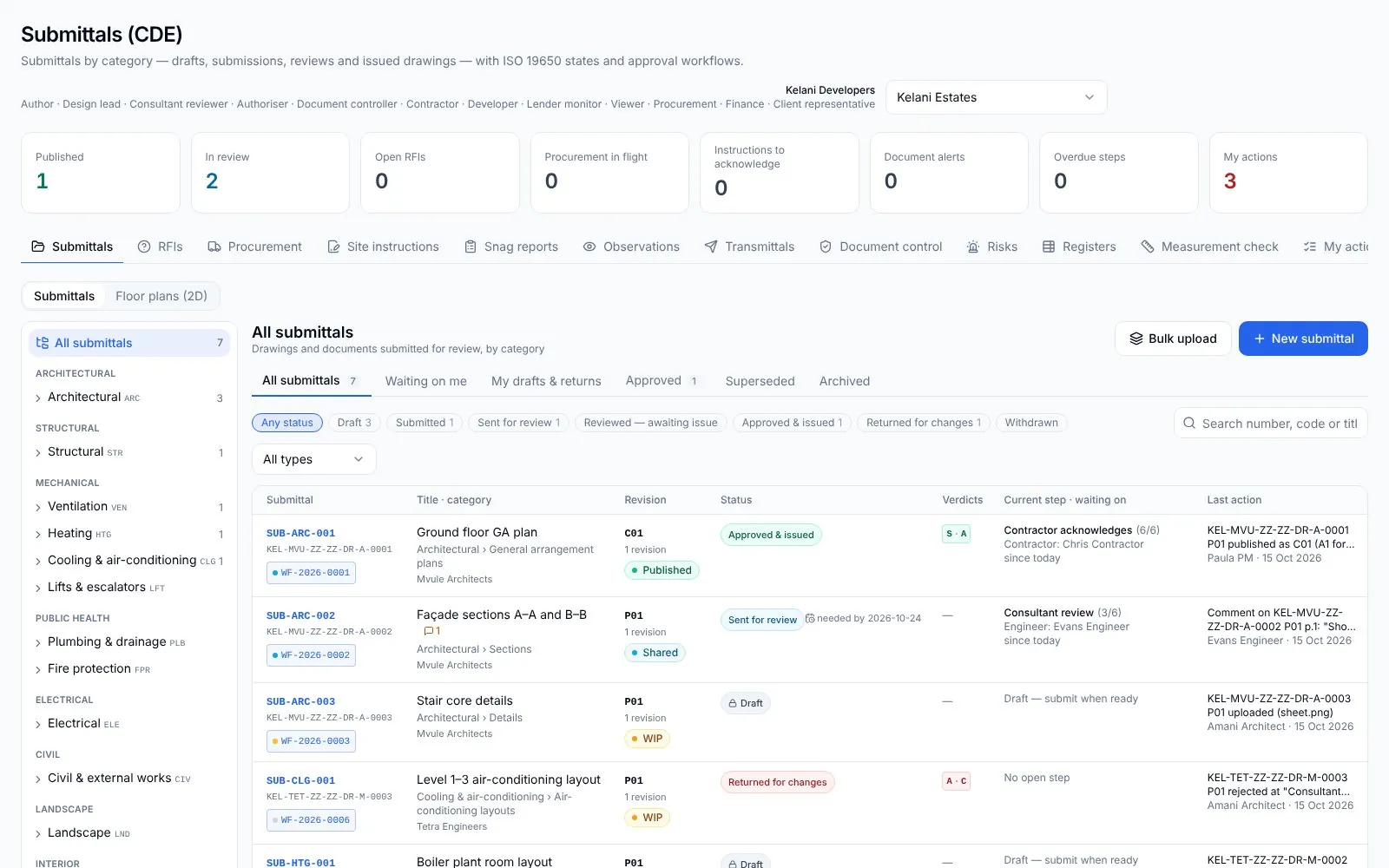 01
01Architects
Your drawings, approved. And built from the right revision.
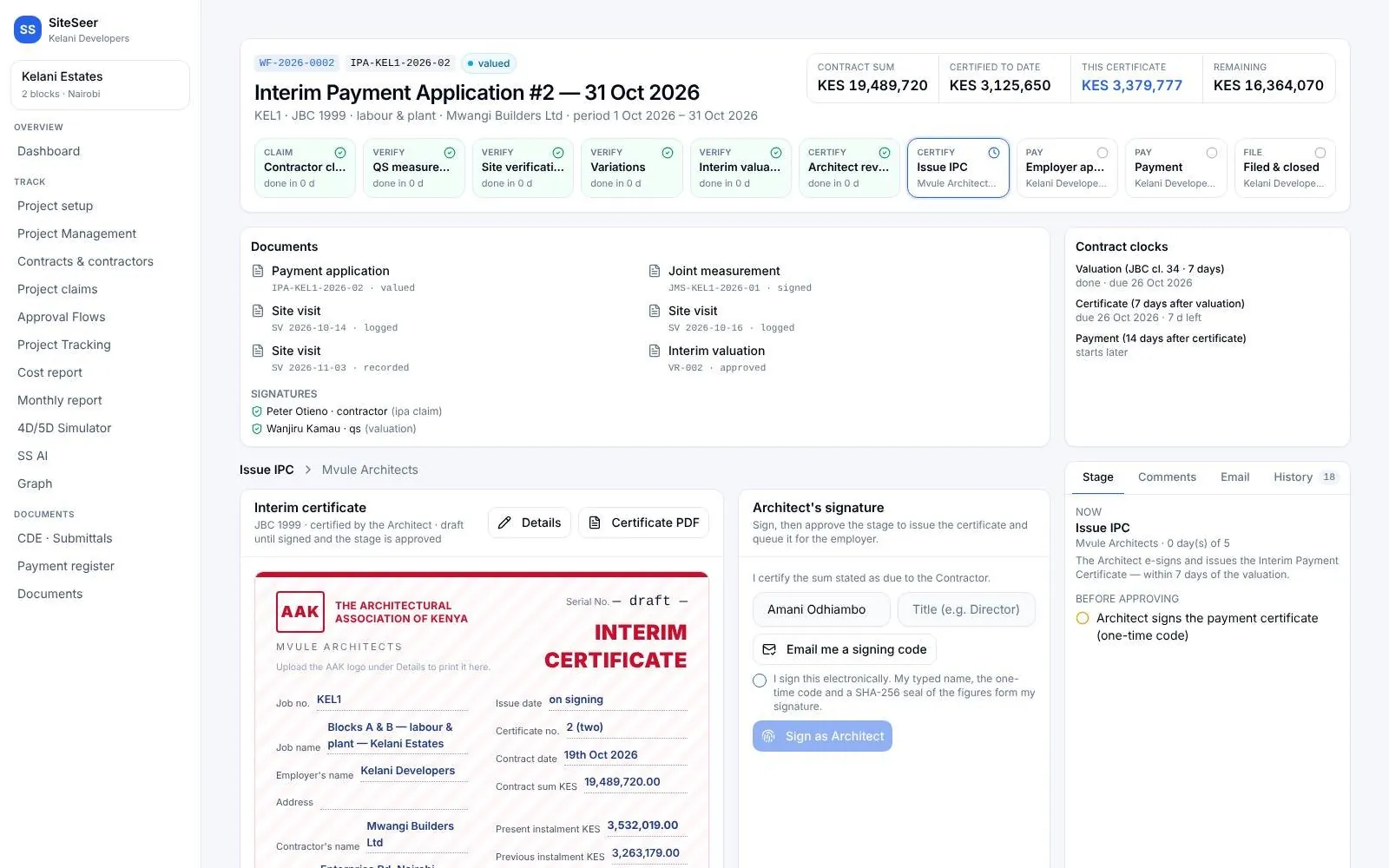 02
02Quantity surveyors
Value what was built. Certify it in days, not weeks.
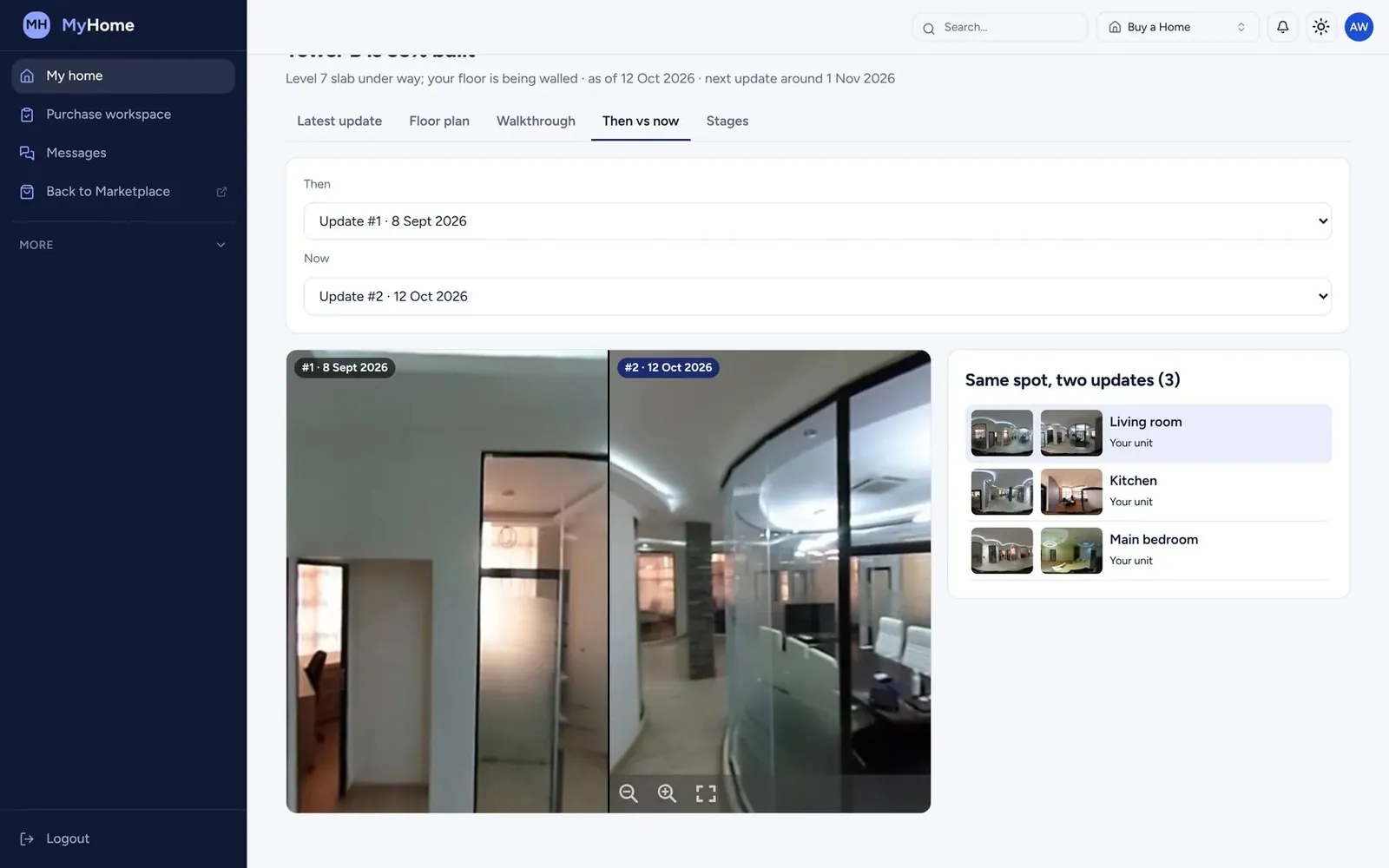 03
03Interior designers
See the finishes go in. Without a site visit every week.
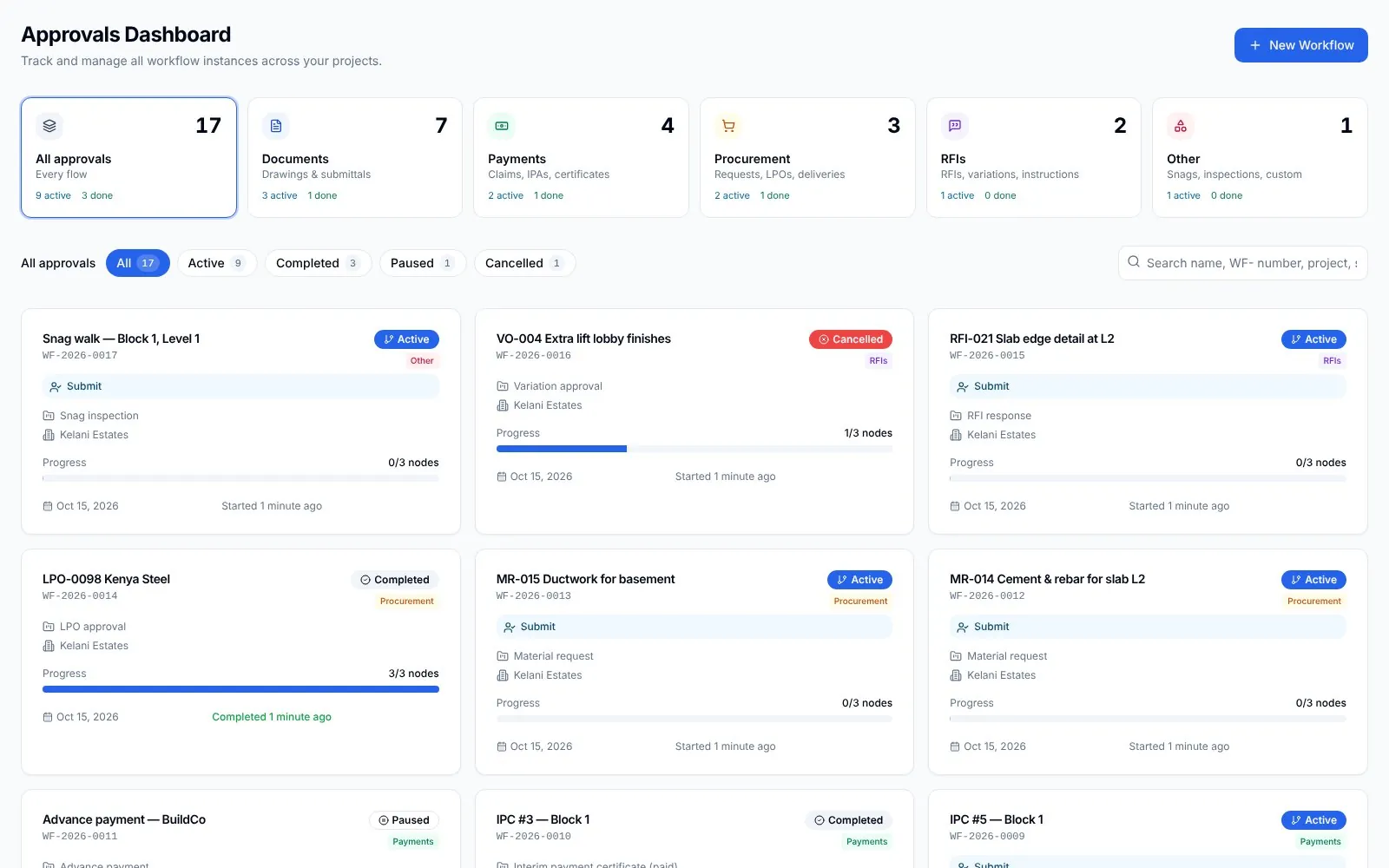 04
04Project managers
Every party moving. You know who holds what.
05SiteSeer Platform
Every approval moving. Every document on record.
06Track and IPA submissions
Pay for what was built. Nothing more.
Questions
Frequentlyasked questions
How SiteSeer fits around your team, your contracts and the way your site already works.
Yes. The engineering portal is used for structural and services engineers; inspections and submittals are set by discipline.
Results can be attached to the inspection by your team, or by anyone you invite to the project.
Yes. The inspection screens are built for the phone: checklist, plan and camera together, synced to the project the office sees.
Put your next inspection on the record.
We will set up a live project for your team and walk through the engineering portal.