
Track · IPA to payment
Pay for what was built.Nothing more.
The contractor uploads the payment application. SiteSeer routes it to the QS, the architect and you, checks every line against the BOQ and the site, and ends in a certificate and a payment.
What you get
Upload once, certificate at the end
Each signer is told when it is their turn; nobody chases by phone.
Every line checked twice
Against the BOQ and approved scope, and against the site scan.
Your money position, any day
Paid, due, awaiting approval and forecast, by building and package.
The problem
IPAs arrive as spreadsheets. Signatures take weeks. Out-of-scope lines slip through. And the contractor still says he is owed.
Over-certifying 2% on one monthly certificate pays about KES 1.25M on a KES 1.5B build, for work not done.
Track · 01 Upload
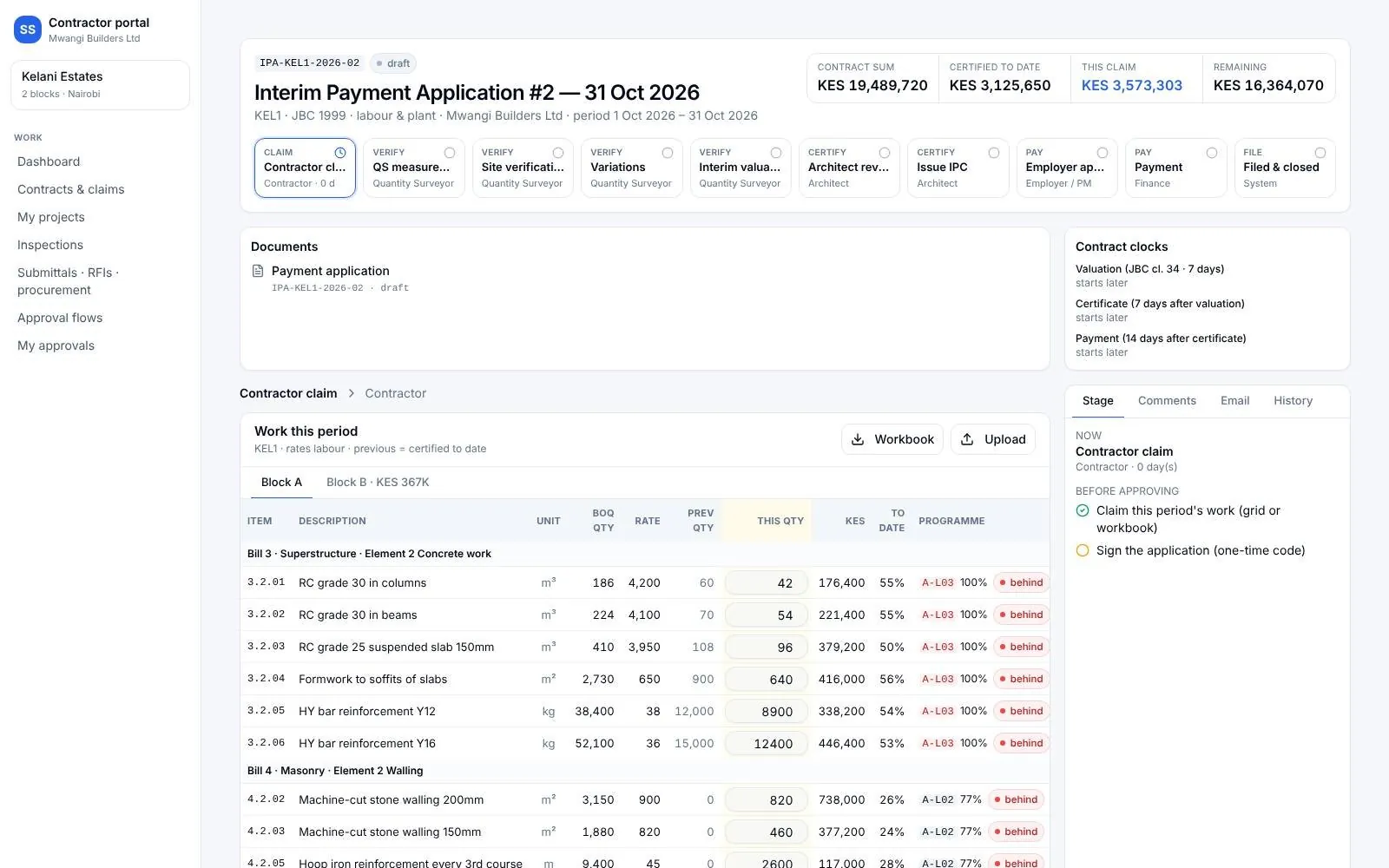
The IPA arrives in Excel.
The contractor downloads the workbook, fills it and uploads it, or sends a PDF we read in.
IPA #2 · 31 OctTrack · 02 Check
Against the BOQ and scope.
Lines over the BOQ or outside approved scope are flagged. The QS measures and agrees each line, jointly with the contractor.
2 lines flaggedTrack · 03 Verify
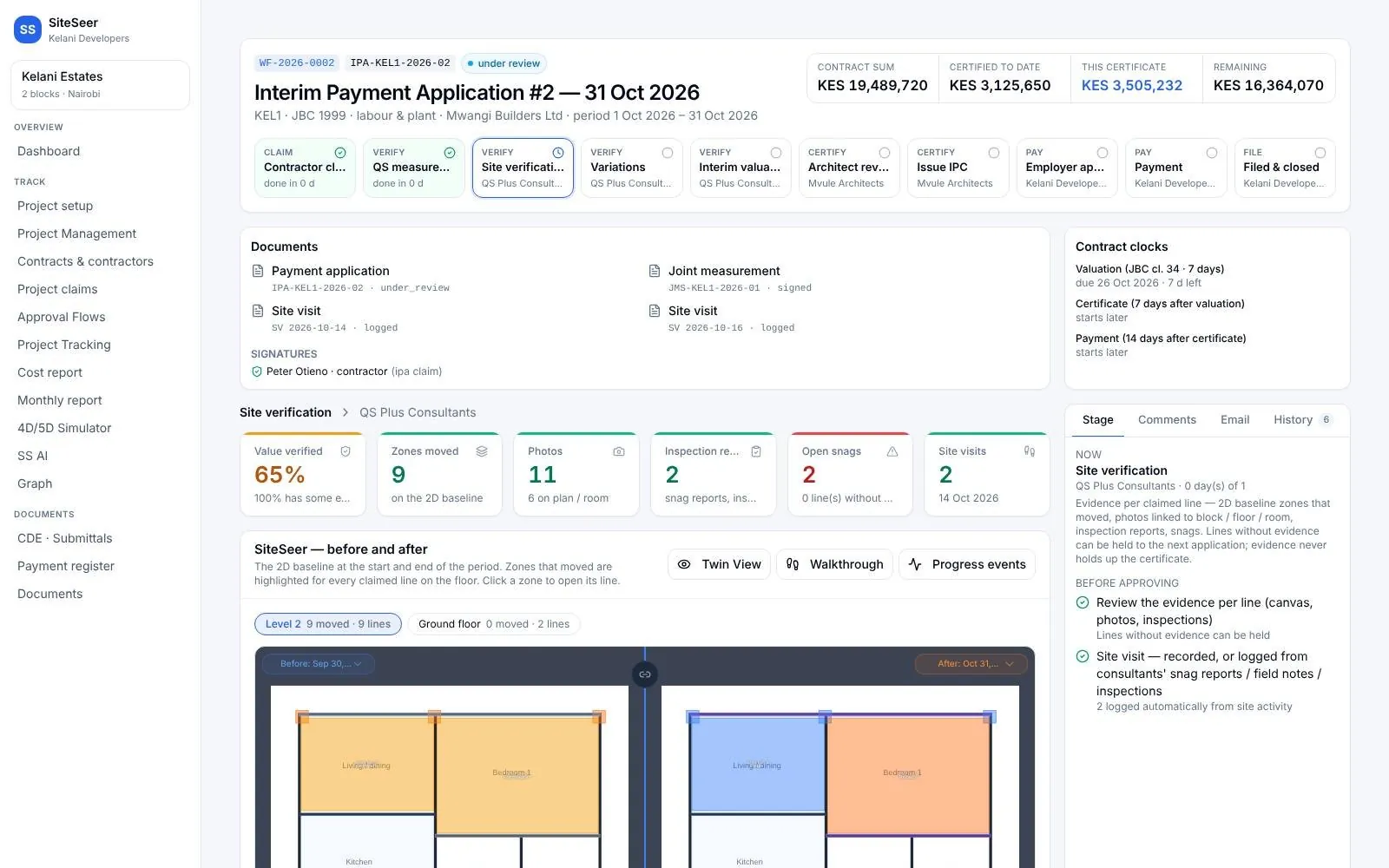
Checked against the site.
Each line is compared with the Visualize scan before it is valued.
Line 3.2 · verifiedTrack · 04 Certify
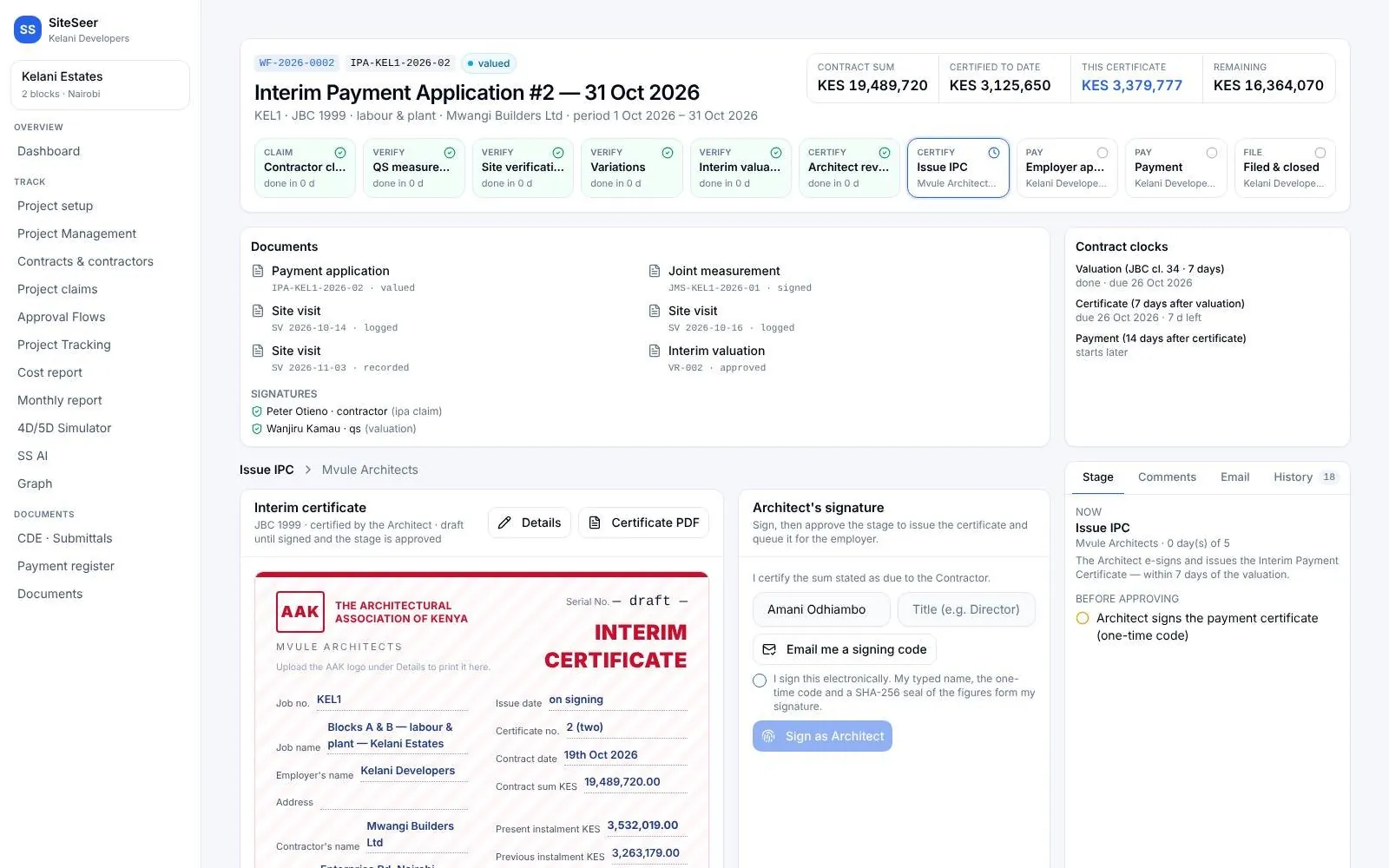
A certificate in your layout.
Valuation, architect review, retention, previous payments and the sum in words.
IPC #2 issuedTrack · 05 Pay
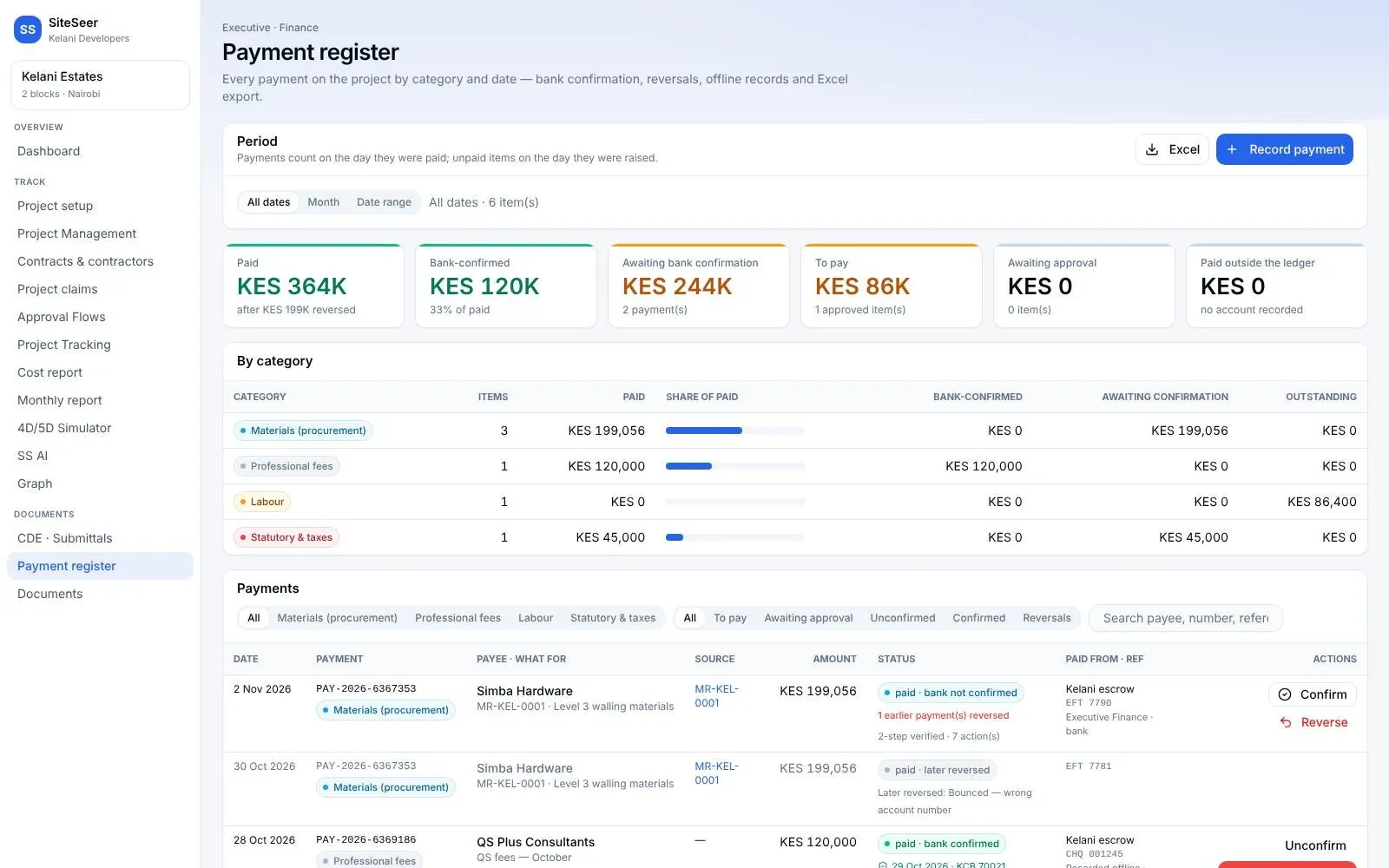
Paid, confirmed and filed.
Finance queue, voucher and a one-time code; every document filed with who signed it.
Paid · bank confirmed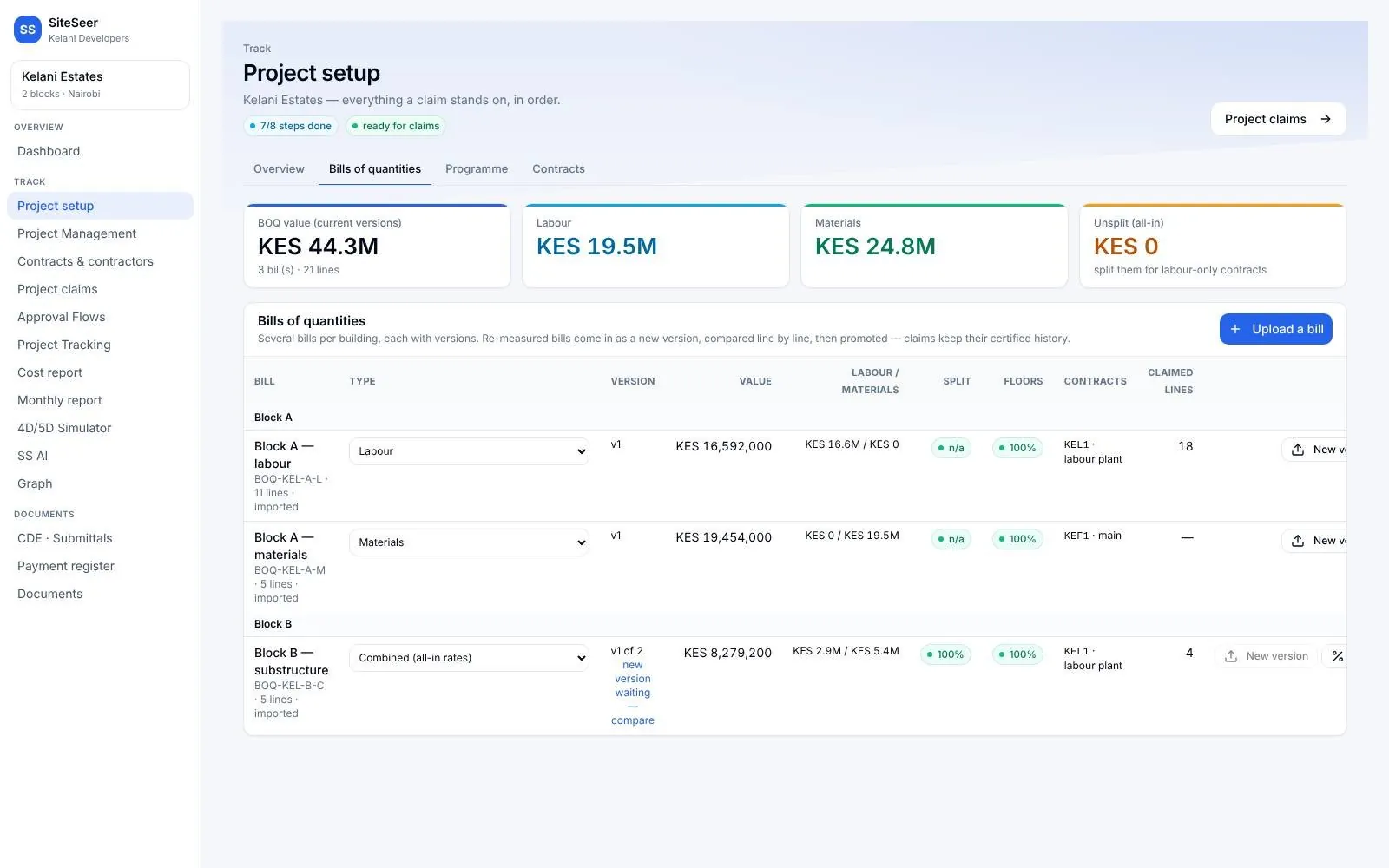
Keep scrolling — each screen follows as you scroll
Track · claims and payments
The contractor uploads the IPA.SiteSeer runs the cycle.
Because the BOQ, budget, programme and contracts are loaded once at setup, a payment application only has to be uploaded. Each signer is notified when it reaches them, and lines outside the BOQ or approved scope are flagged before anyone pays.
- 01
IPA uploaded
Excel or PDF, against the BOQ and contract scope.
- 02
QS measures
Joint measurement with the contractor and clerk of works.
- 03
Site checked
Each line compared with the Visualize scan.
- 04
Architect signs
The valuation is reviewed and signed in place.
- 05
Certificate issued
In your layout: retention, previous payments, sum in words.
- 06
Paid and filed
Employer approves, finance pays, every document is filed.
If it slips
Over-certifying 2% on one monthly certificate pays about KES 1.25M on a KES 1.5B build, for work that was not done.
What it does
Inside Track and IPA submissions.Real screens, real projects.
Setup
Everything a claim stands on, loaded once.
BOQs with labour and material rates, programme, contracts and budgets. Start mid-project from your existing documents.
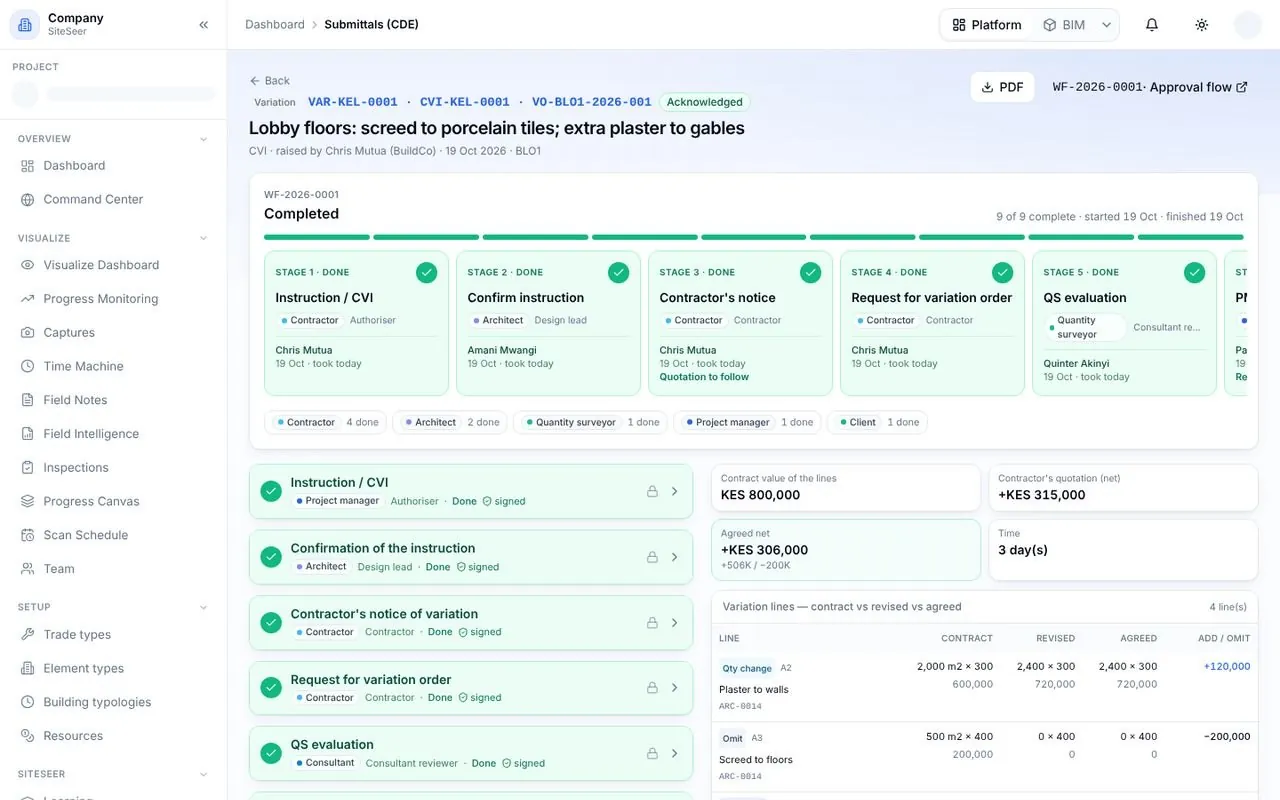
Variations
Priced, approved and paid once.
A variation runs its own flow, is priced from the BOQ and writes itself into the bill.
Reporting
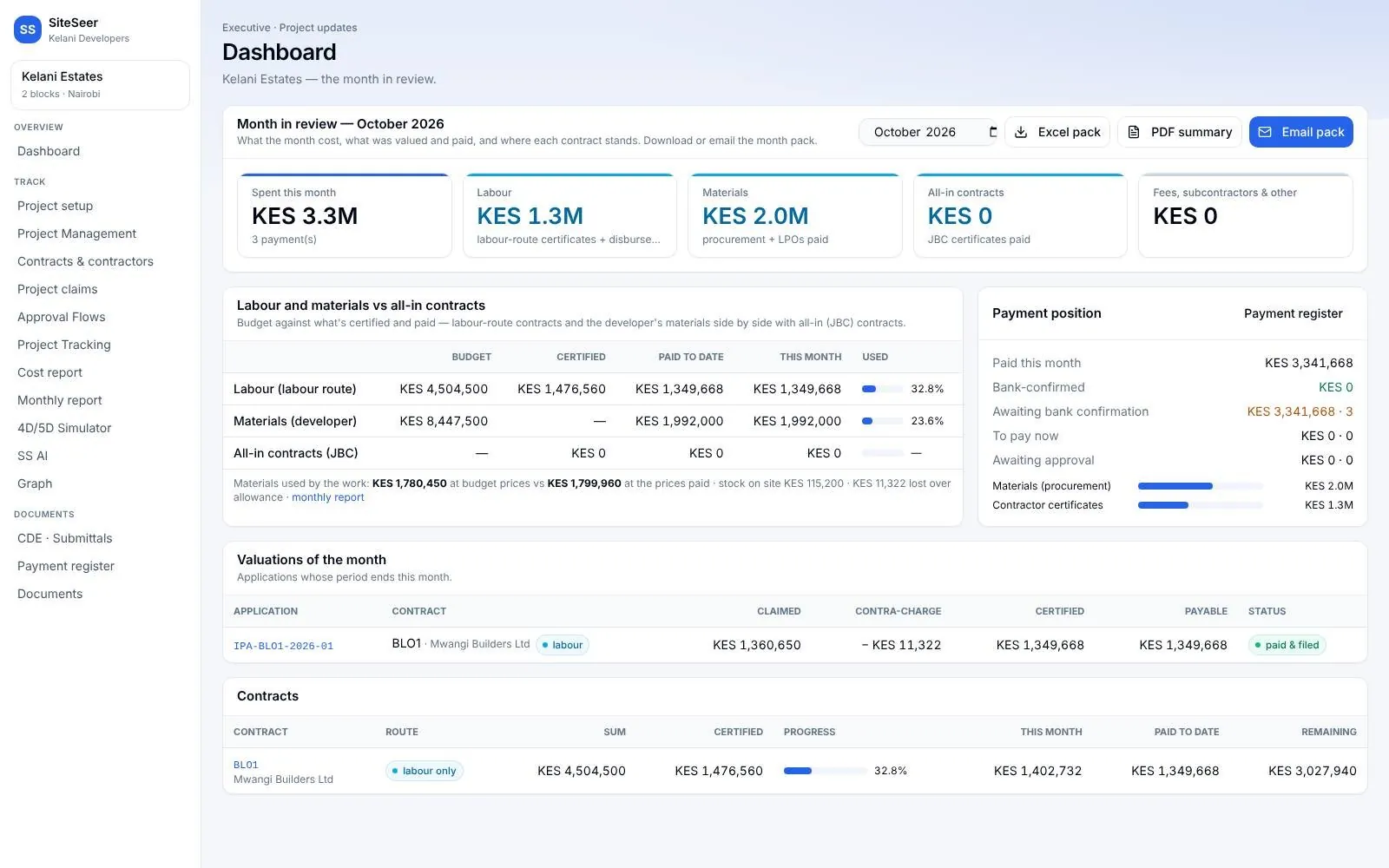
The executive month.
Spend on labour, materials and contracts, payment position and valuations, as Excel and PDF.
What it takes off your plate
Less chasing.More certainty.
Everything in Track and IPA submissions
All the features.Built for real sites.
Claim grid per building
Previous, this period and to date, with a programme check on each line.
QS measurement
Agree, adjust with a reason, or hold a line to the next claim.
Measurement Book
Dimension paper, bar bending schedules and check-measures.
Ten-stage journey
Each stage will not approve until its checklist is met.
Interim certificate
In your layout, with retention and previous payments.
Employer approval
Approve in full or withhold part, with reasons.
Payment register
Paid, confirmed, due and awaiting approval; export to Excel.
Contracts by type
JBC, labour only, labour and plant; e-signed with one-time codes.
Labour-only route
Stock counts and contra-charges where you supply materials.
Works with
One record,many tools.
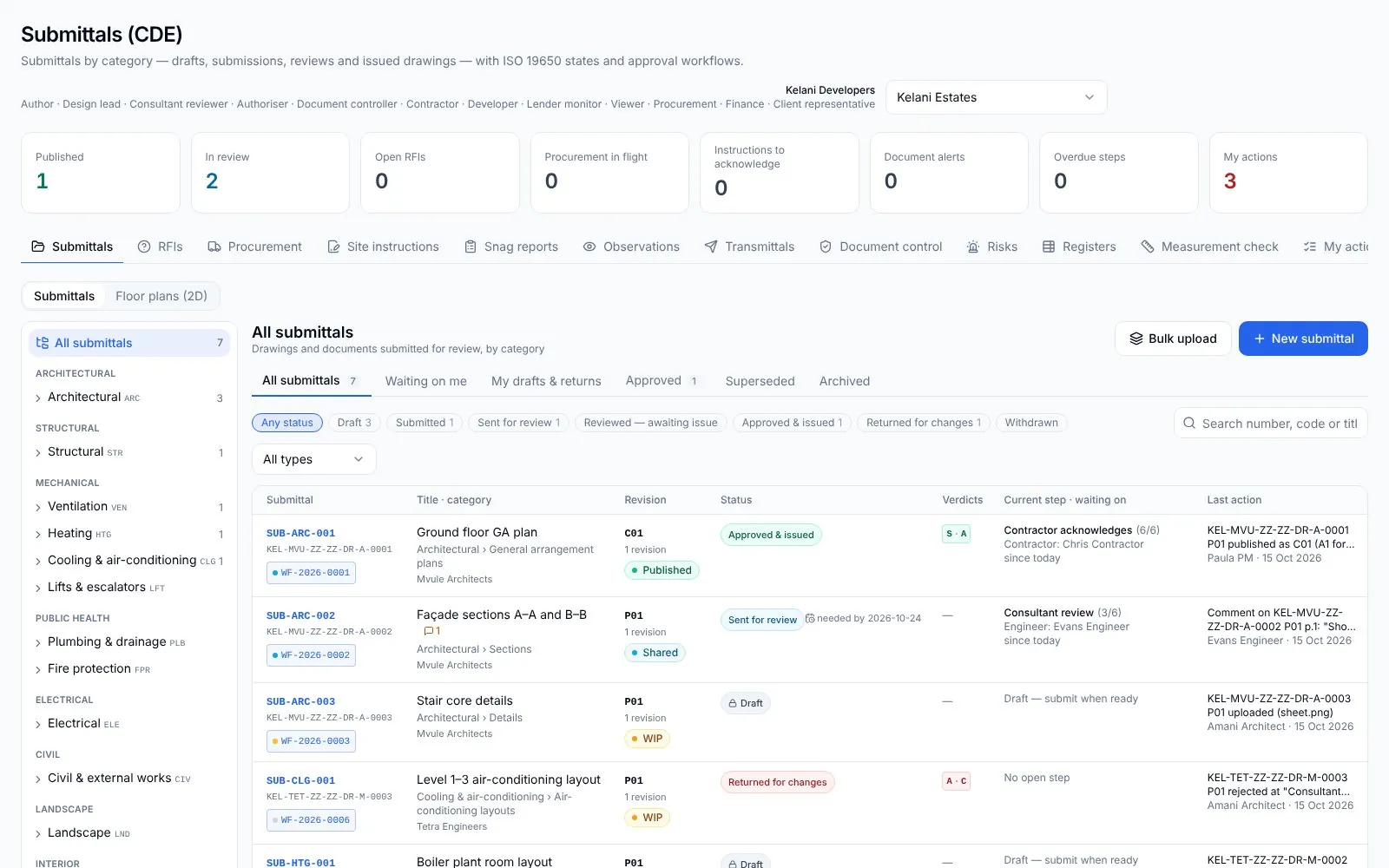 01
01SiteSeer Platform
Every approval moving. Every document on record.
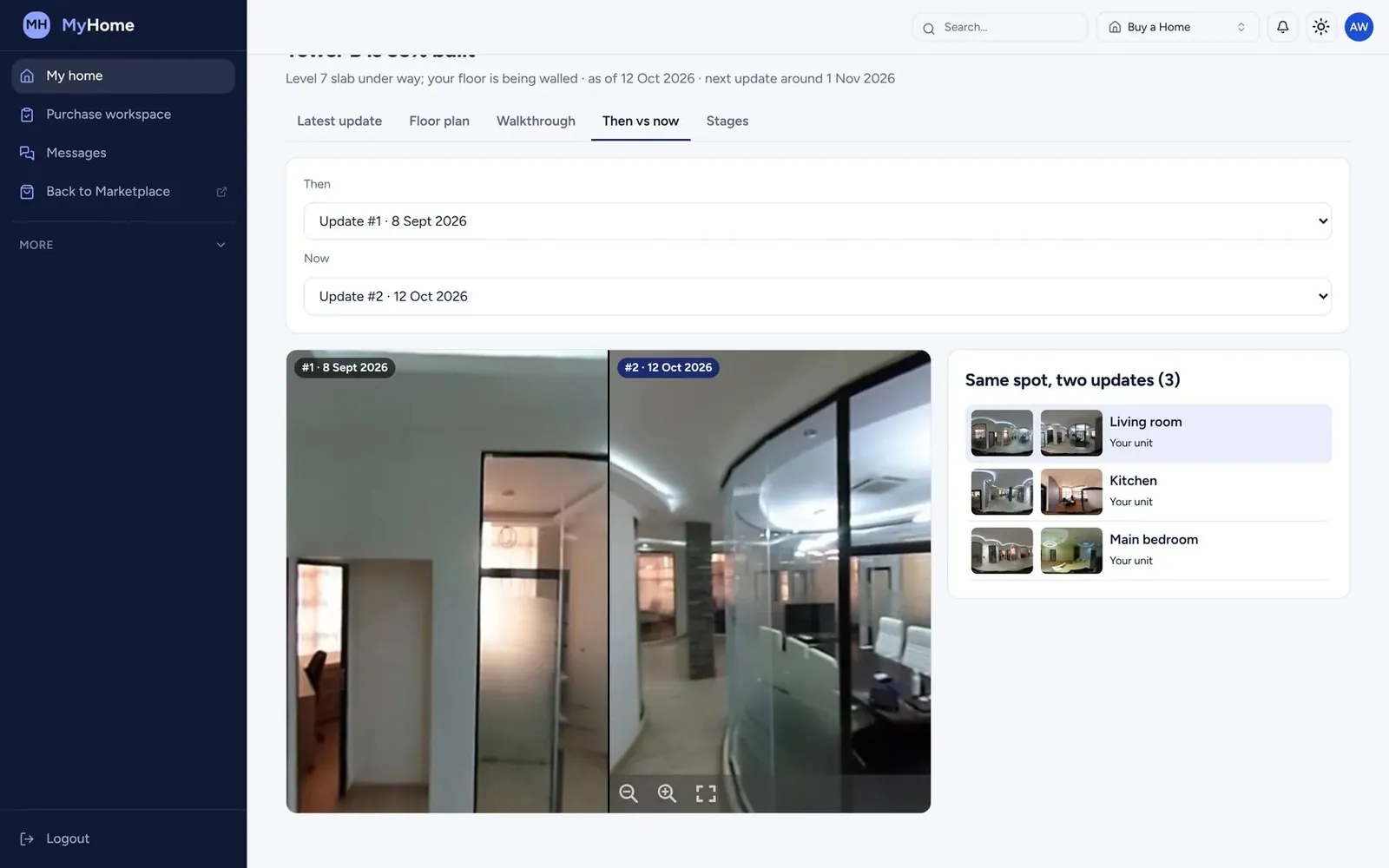 02
02SiteSeer Visualize
See your whole site. From anywhere, on any date.
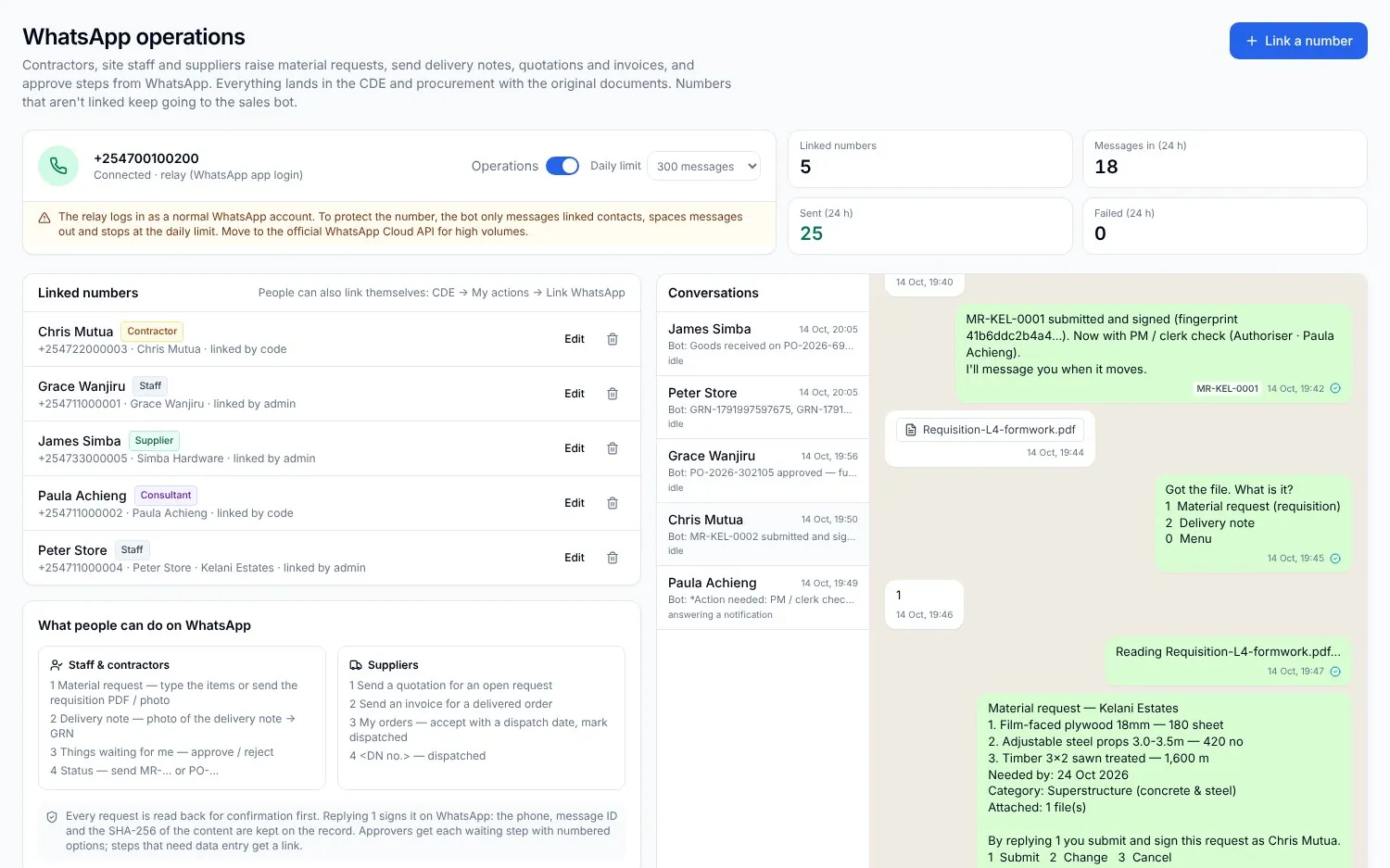 03
03Procurement on WhatsApp
Buy what the site needs. Never more than the budget.
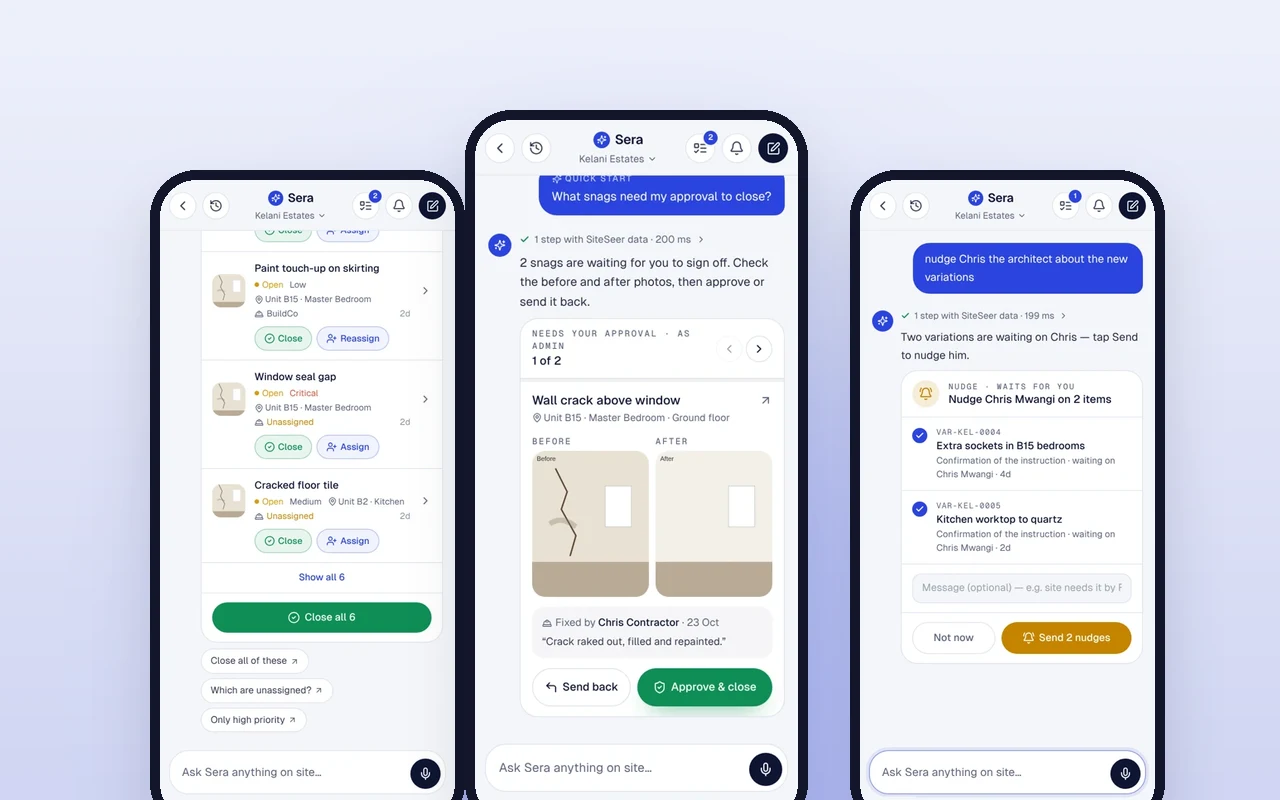 04
04Sera AI by SiteSeer
Your whole project, in one chat.
 05
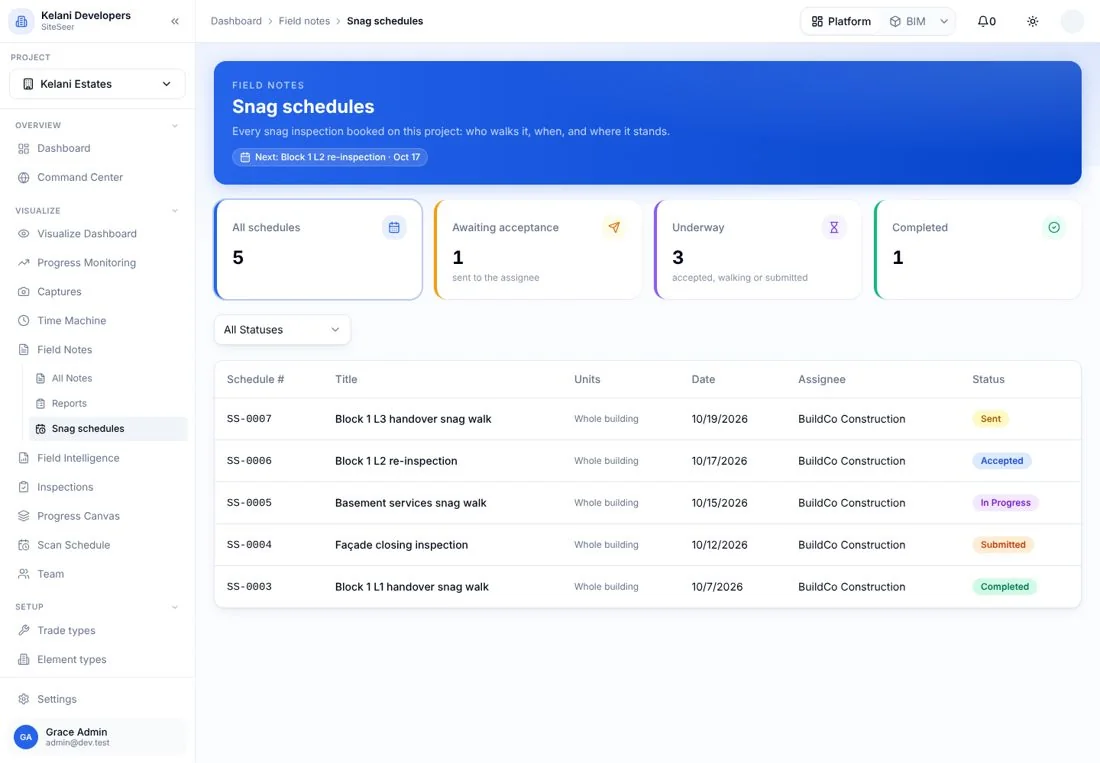
05Snagging and snag reports
Snags closed, not just listed.
 06
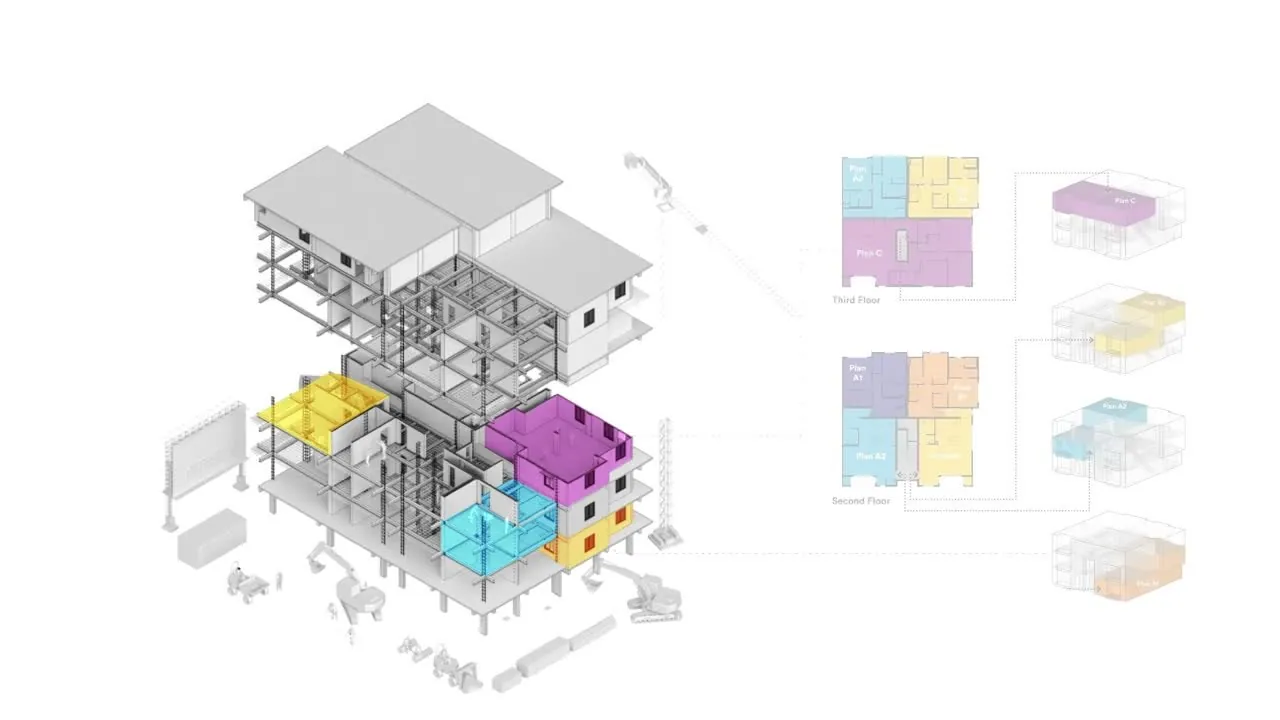
06SiteSeer BIM
Walk your building before it is built.
Run your next IPA through Track.
Send us the last certificate and the BOQ. We will show you the cycle on your own numbers.