

SiteSeer for project managers
Every party moving.You know who holds what.
The project manager's portal runs the job: the BOQ and work packages, subcontractors, daily reports, the review queue, claims, approvals and snag schedules, across every consultant and contractor.
What you get
See every holder at a glance
Every approval, claim and submittal shows who holds it and for how long.
Daily reports that roll up
Daily reports from site feed the programme and the review queue, not a folder.
Fewer Monday calls
Overdue holders are nudged, escalated or reassigned from one board, with every chase logged.
The problem
You spend Monday chasing. Who has the drawing, who has the claim, which subcontractor is behind. By Tuesday the answers are out of date.
A 5-day hold on one critical-path approval costs about KES 3.9M on a KES 1.5B build.
01 · Plan
Set the package from the BOQ.
Scope, quantity, target rate, dates and the subcontractor, taken from the BOQ and the programme.
02 · Ready
Make sure it can start.
Drawings, materials, labour and setting-out confirmed before day one, so the gang isn't standing idle.
03 · Daily report
Progress reported every day.
Labour, quantities and issues are reported against the package each evening, not in a WhatsApp group.
04 · Review
Everything waiting on you.
Reports, variations, submittals and snag rounds in one review queue, oldest first, with how long each has waited.
05 · Claim
Claim against verified progress.
The package goes to the QS with the progress you verified attached, so the valuation starts from evidence.
WP-12 · Kelani Estates · Block 1
Work package 12 · Level 5 blockwork
- 1Plan
- 2Ready
- 3Daily report
- 4Review
- 5Claim
Work package WP-12
- Scope
- L5 blockwork · B4.12–B4.14
- Quantity
- 1,420 m²
- Target rate
- KES 2,150 / m²
- Dates
- 27 Oct – 21 Nov
- Subcontractor
- Mason Works Ltd
Ready to start
- Drawings A-205 Rev C issuedTo check Done
- Blocks and cement delivered · GRN-118To check Done
- Labour gang confirmed · 14To check Done
- Safety induction doneTo check Done
- Setting-out checkedBooked Mon 07:00 Done
Daily report · Tue 4 Nov
| Item | Today | To date |
|---|---|---|
| Labour | 14 | — |
| Blockwork | 96 m² | 852 m² · 60% |
| Cement | Short 20 bags | Order raised |
| Weather | Dry | — |
Review queue
- Daily report · WP-12Tue 4 Nov · Mason WorksReview
- Variation VO-09 · lintelsRaised 2 days agoDecide
- Submittal SUB-MEP-014With the engineer · 6 daysNudge
- Snag round · Block 1, L3Due ThuSchedule
Progress to claim
- Verified progress
- 852 m² · 60%
- Value at target rate
- KES 1.83M
- Next
- IPA-08 valuation
Claim carries verified progress
Project manager portal · demo record
What it does
Inside the project manager portal.Real screens, real projects.
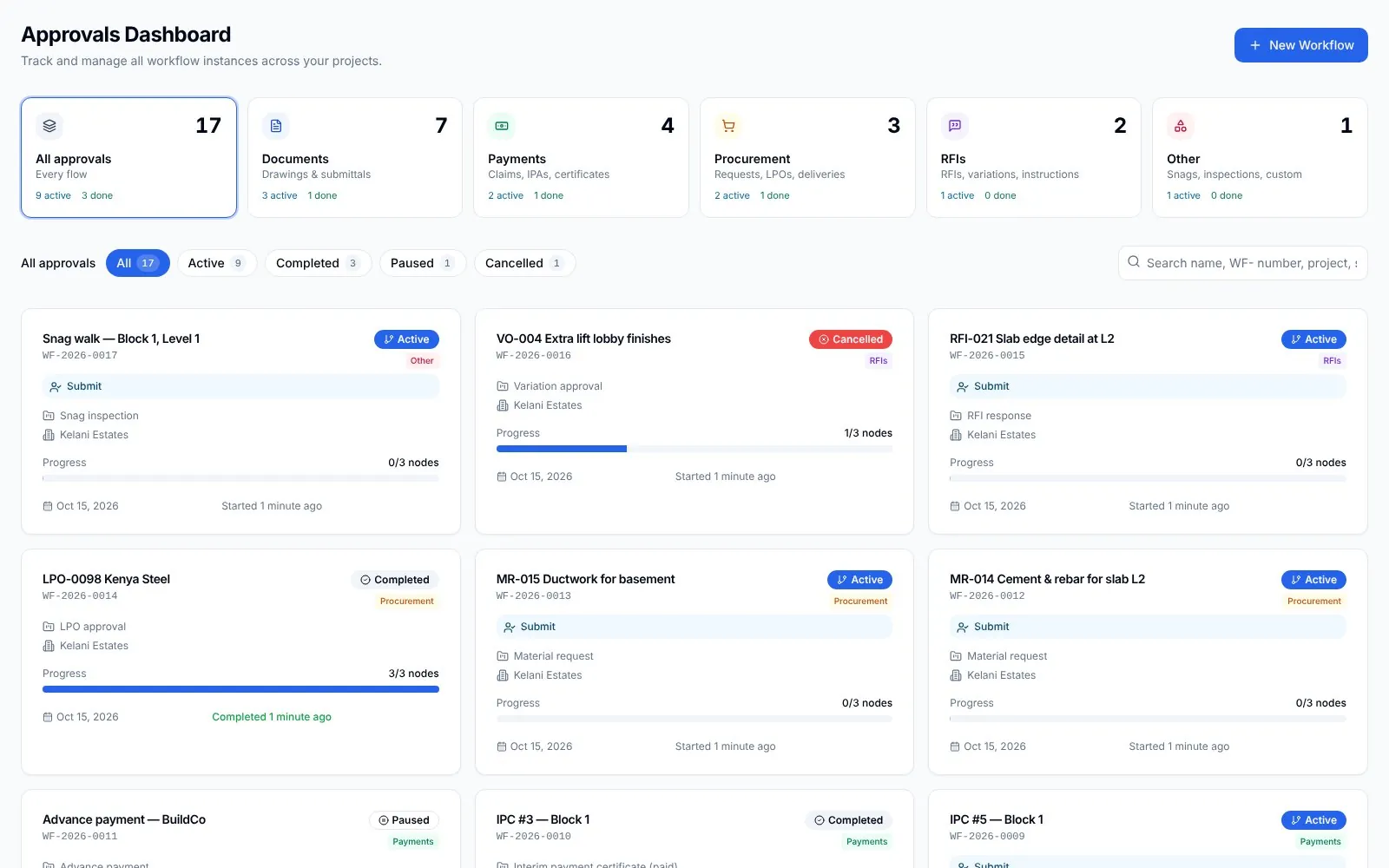
Approvals
Everything in flight.
Approval flows across the project, with status, holder and the time on each stage.
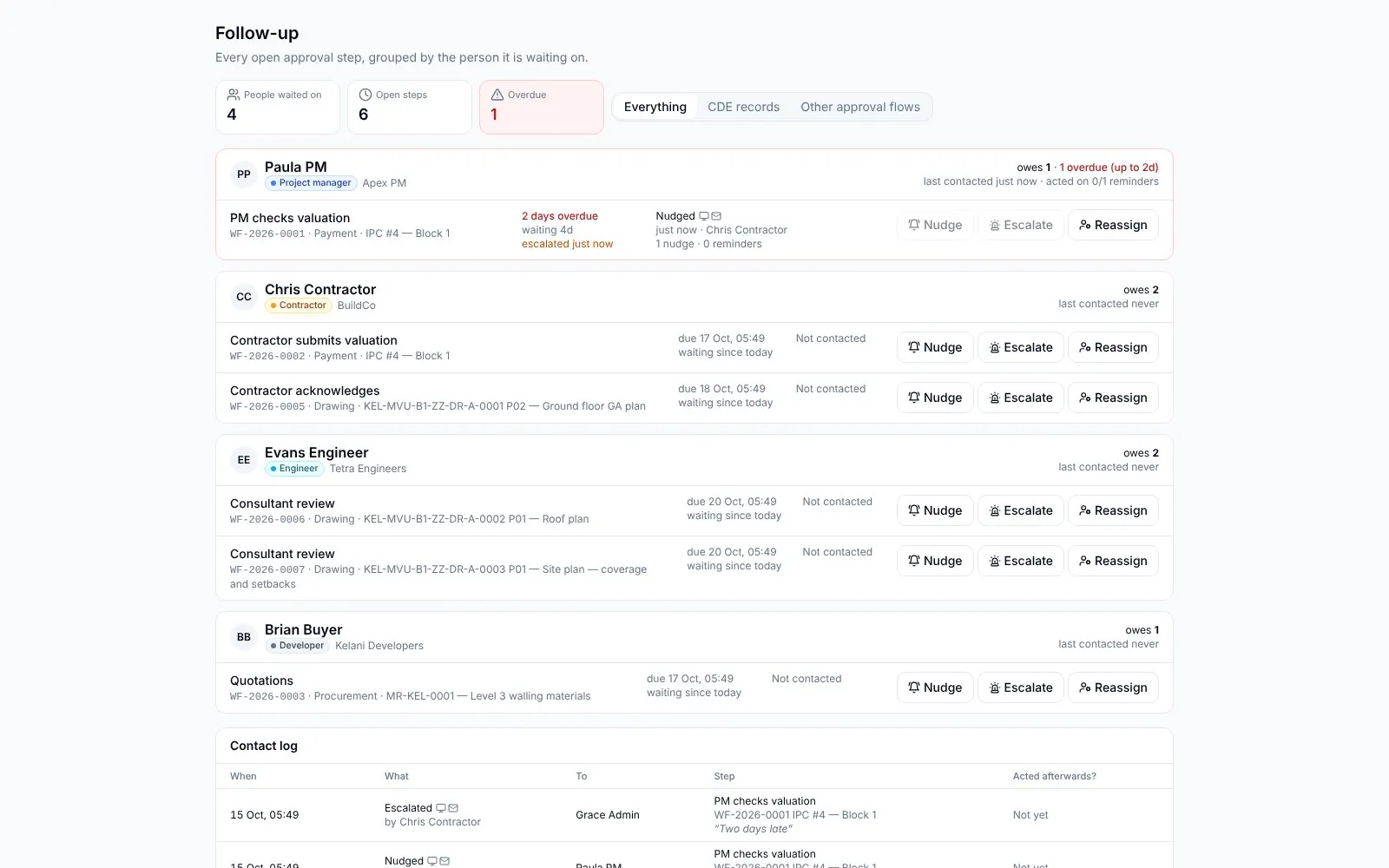
Follow up
Nothing left waiting.
Everything overdue, by person. Nudge, escalate or reassign, with every chase logged.
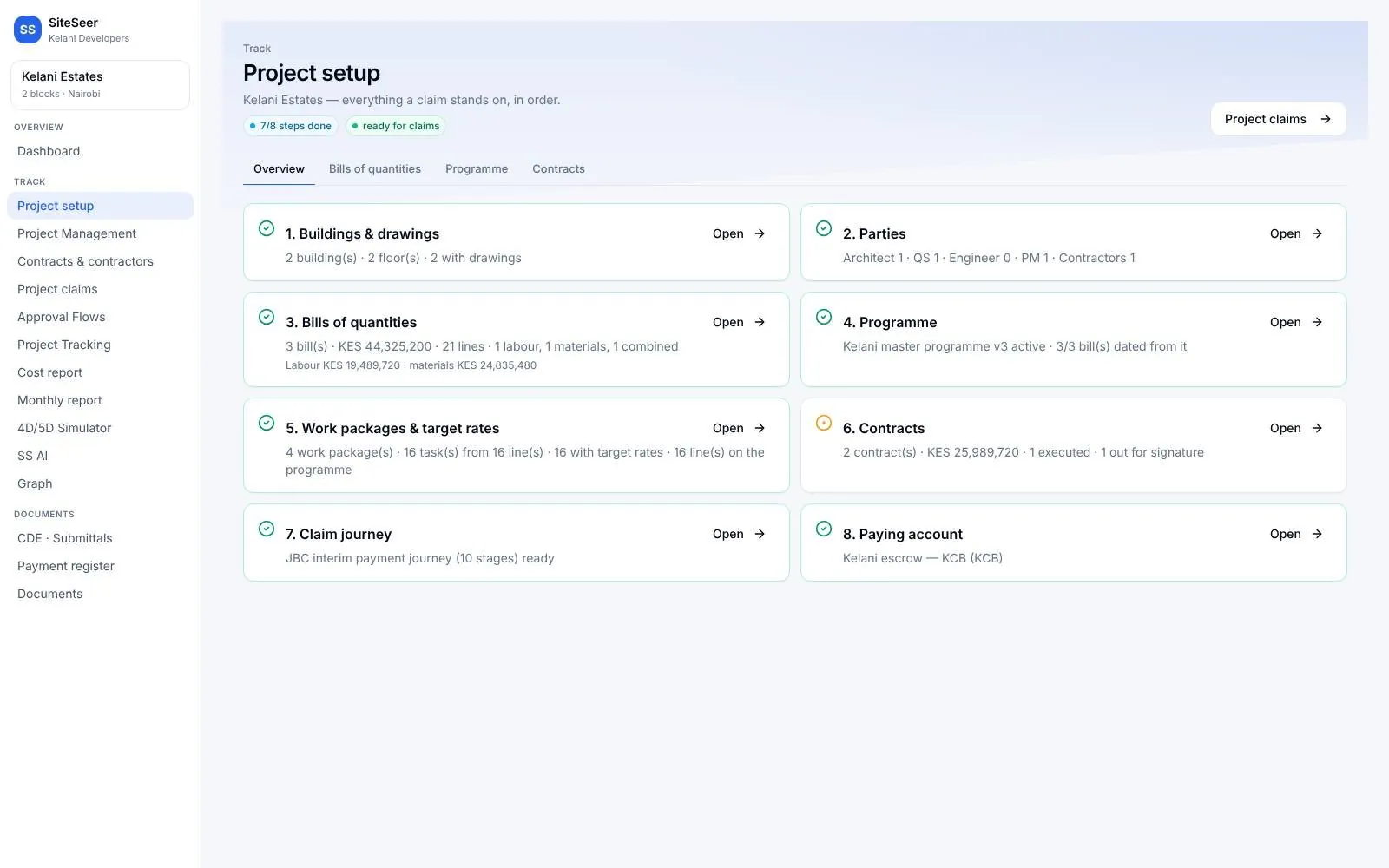
Setup
The project set up once.
BOQ, buildings and floor plans, work packages and the payment journey in one setup.
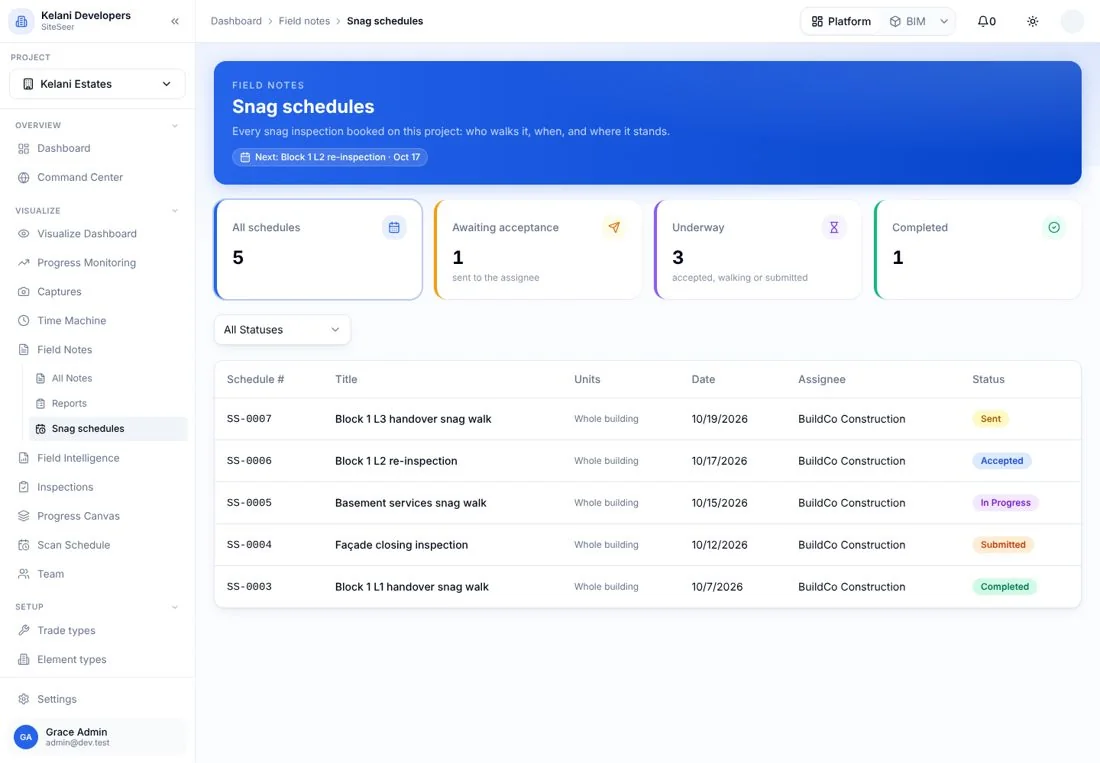
Snags
Snag schedules by date.
Assign stakeholders to snag units on a date, and track each round to closure.
What it takes off your plate
Less chasing.More certainty.
Everything in Project managers
All the features.Built for real sites.
BOQ & target rates
The bill, resources and target rates the job runs on.
Work packages
Packages from the BOQ, assigned to subcontractors.
Subcontractors
Who is on the job, what they hold and what they claim.
Buildings & floor plans
Buildings, floors and plans the site works from.
Project plan
The programme, linked to packages and progress.
Daily reports
Labour, progress and issues from site every day.
Review queue
Everything waiting on you, in one list.
Claims & measurement
Payment claims and joint measurement.
Approval flows & CDE
Approvals, submittals and your own approval queue.
Snag schedule
Snag rounds assigned to stakeholders by date.
Works with
One record,many tools.
 01
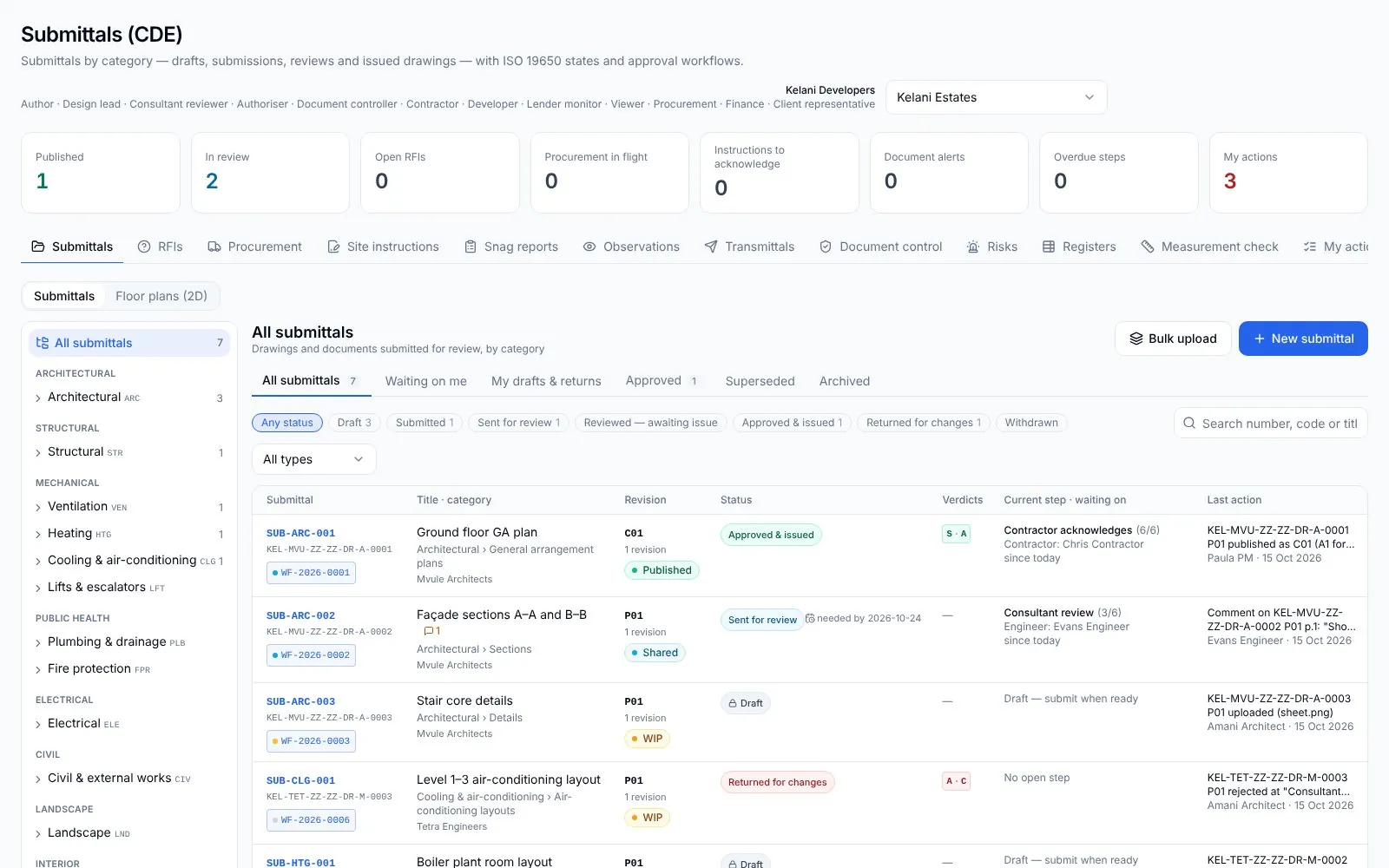
01Architects
Your drawings, approved. And built from the right revision.
 02
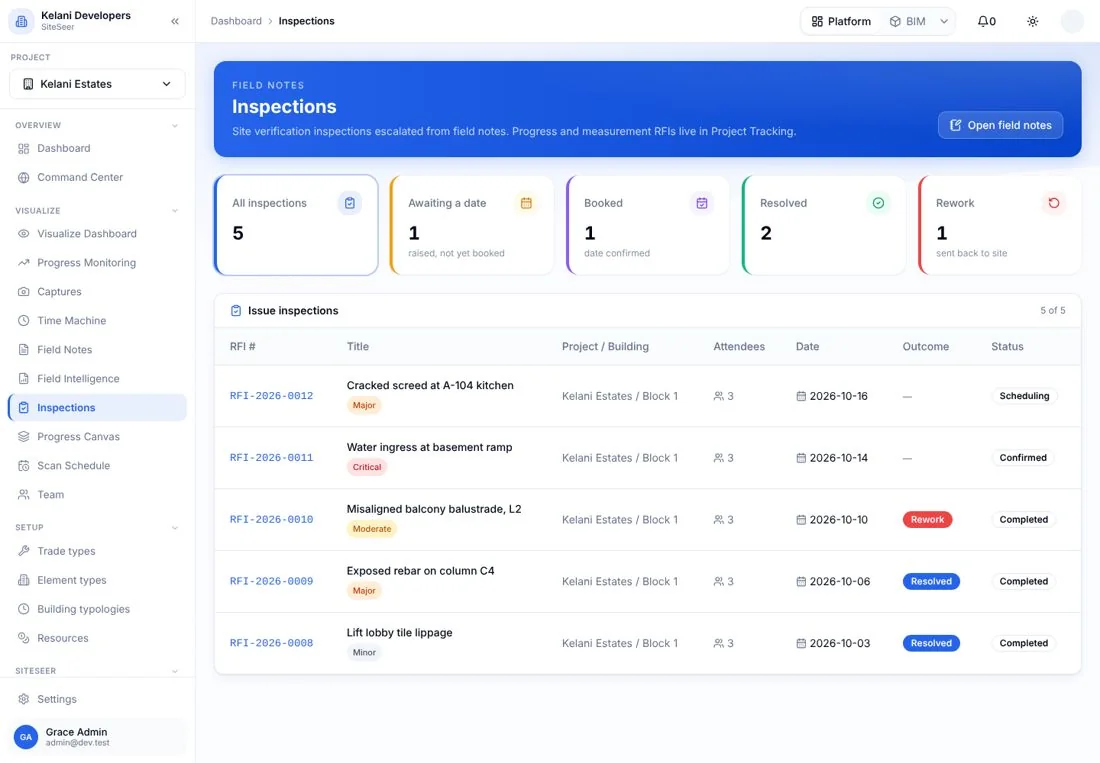
02Engineers
Inspect it. Test it. Certify it with the evidence.
 03
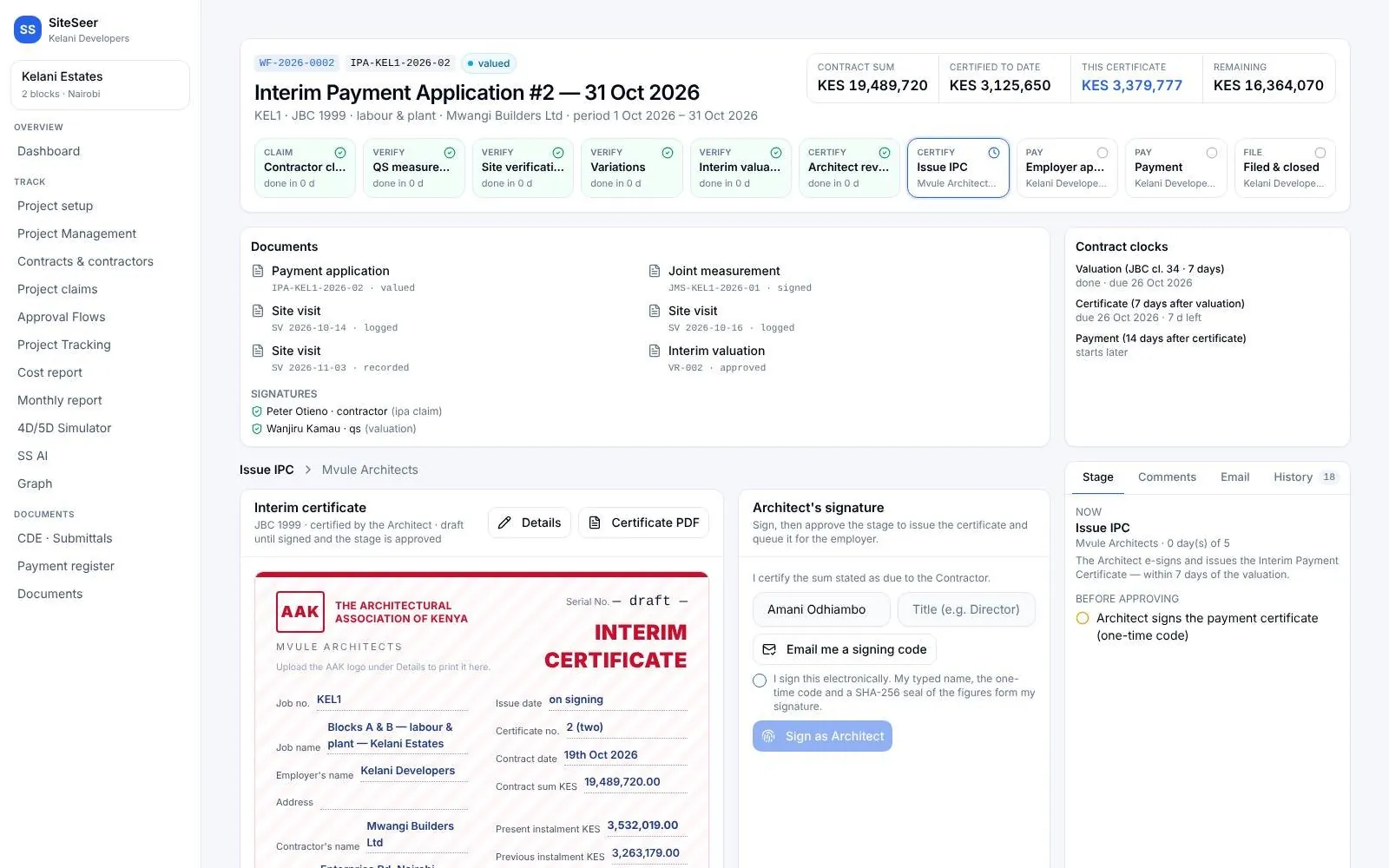
03Quantity surveyors
Value what was built. Certify it in days, not weeks.
 04
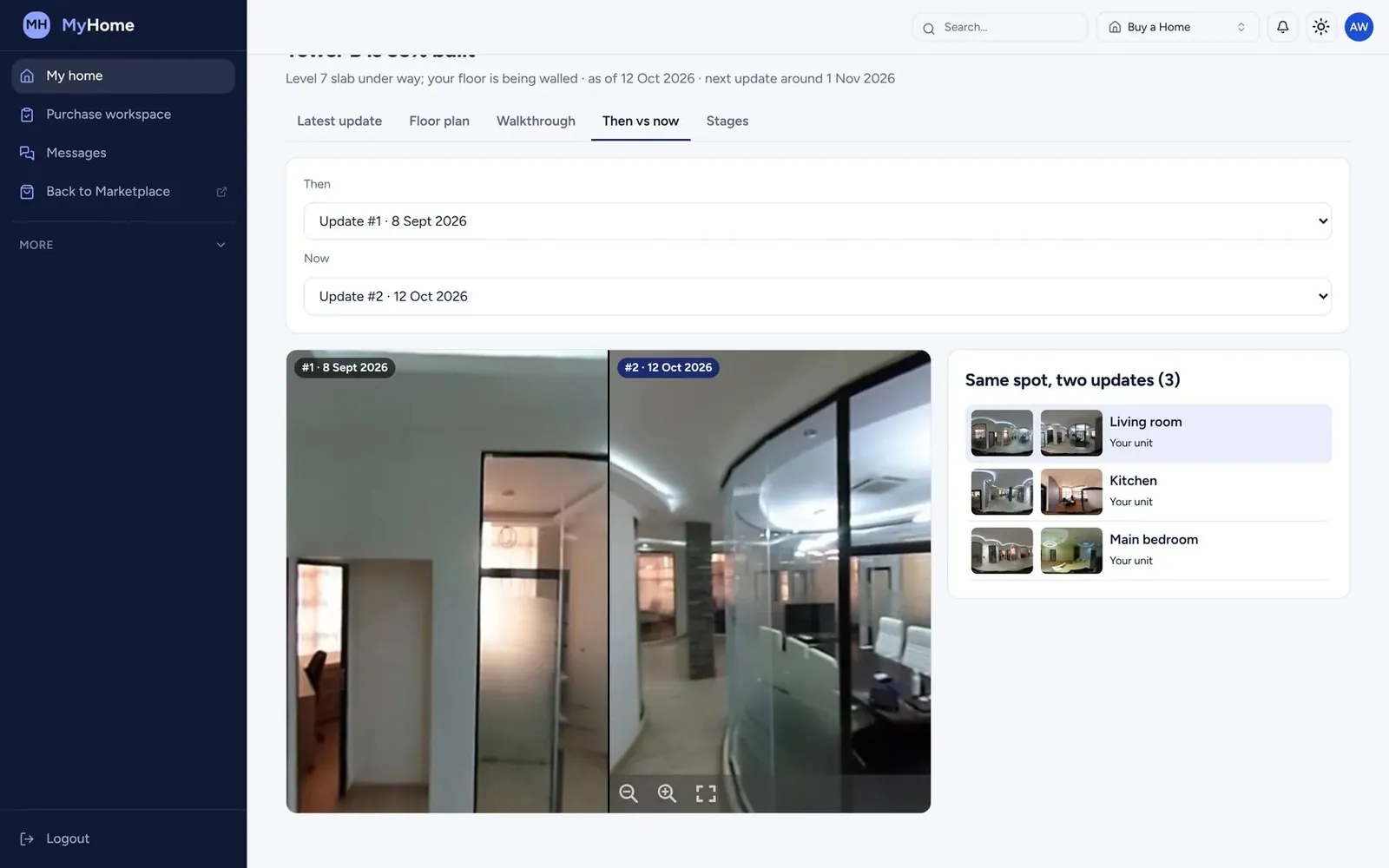
04Interior designers
See the finishes go in. Without a site visit every week.
05SiteSeer Platform
Every approval moving. Every document on record.
06Track and IPA submissions
Pay for what was built. Nothing more.
Questions
Frequentlyasked questions
How SiteSeer fits around your team, your contracts and the way your site already works.
Yes. The firm dashboard shows every project you are on, with your team and their access.
No. You work on the developer's SiteSeer project, so you and the owner see the same record.
Only you and your team. Each party has its own portal and sees the items waiting on them.
Run your next project from one board.
We will set up a live project and walk your team through the project manager's portal.